
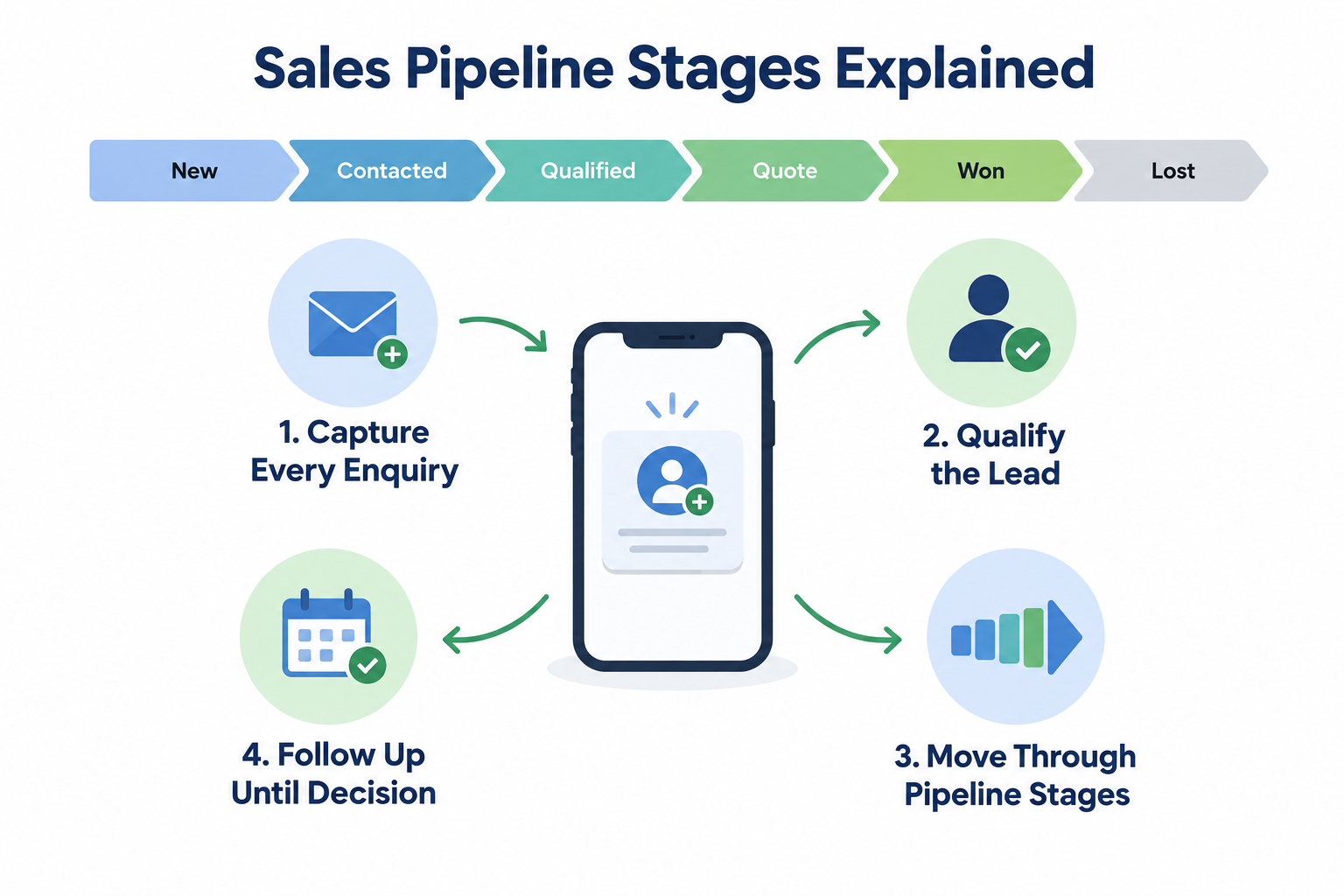
A pipeline is only as good as the stages inside it. If “Contacted” means one thing to you and another to your rep, your pipeline numbers are fiction — and every decision you make from them is wrong.
This guide explains what each pipeline stage should mean, how to adapt stages to your business, and how to read the story your stage data is telling you.
What Is a Pipeline Stage?
A pipeline stage describes where a lead actually is in your sales process — not how much work you’ve put in, but how far the buyer has committed.
A common starting sequence:
New → Contacted → Qualified → Meeting or Quote → Decision Pending → Won / Lost
Each stage answers one question: “What has this prospect done, not what have we done?”
That distinction matters because activity and progress are different things. Three unanswered calls is activity. A booked consultation is progress. Stages should track the second.
The Core Pipeline Stages, Explained
New
An enquiry has arrived — from an ad, a form, a referral — and nobody has made first contact yet.
This is your speed-to-lead stage. Leads sitting in New for hours are losing value by the hour. The metric to watch here is first-response time: how quickly leads leave this stage.
Contacted
A two-way conversation has happened. The prospect replied, answered, or engaged.
The test is simple: if you called twice and they never picked up, that’s an activity, not a stage change. Two people should classify the same lead identically — if they wouldn’t, your definition is too loose.
Qualified
You’ve confirmed the basics of fit: the requirement, the rough budget, the timeline.
This is where a lot of pipelines quietly break. Leads get “qualified” because the rep likes them, not because the facts are known. Define the entry condition — requirement, budget and timeline confirmed — and stick to it.
Meeting / Quote / Consultation
The prospect has made a real commitment of time or interest: a consultation booked, a site visit scheduled, a quote requested.
This stage looks different by industry, which is fine. A real estate team might call it “Site Visit Scheduled.” A clinic might call it “Appointment Booked.” The shape is the same — the buyer gave you a slot in their calendar.
Decision Pending
They have everything they need — quote sent, options presented — and they’re deciding.
This is the most misread stage. A large “Decision Pending” column feels healthy but often hides stalled deals. If leads sit here for weeks, the real problem is usually earlier: weak qualification or no agreed next step.
Won / Lost
The final outcome, with a reason recorded.
Lost leads without loss reasons teach you nothing. Price? Competitor? Timing? Ghosted? Each reason points to a different fix, so make the reason part of closing, not an afterthought.
Some teams also keep an Unqualified stage — for spam, out-of-region or non-viable enquiries — so junk never inflates the real pipeline.

Stage Categories: The Piece Most Teams Miss
Individually, stages are labels. Collectively, they need structure. Every stage belongs to a category:
The category is what makes reports work. Win rate is won ÷ (won + lost + unqualified) — so if unqualified leads sit in “lost,” or lost leads sit in “decision pending,” every downstream number drifts.
This is why Ridhzo’s default statuses (new, active, won, lost, unqualified) can be renamed and recoloured but their categories stay locked — so a team can call “Active” whatever it likes without breaking the analytics underneath.
Customise Stages to Your Sales Process
Generic stages are a starting point, not a destination. Your pipeline should mirror how your customers actually buy:
Real estate: New → Contacted → Site Visit Scheduled → Site Visit Done → Negotiation → Booked / Lost
Education: Enquiry → Counselling Done → Application Submitted → Fee Paid / Dropped
Clinic: New → Appointment Booked → Visited → Treatment Started / Not Interested
Notice what these have in common: each stage is a fact about the buyer, and each one changes what the rep does next. A site visit needs different follow-up than a negotiation. That’s the test for whether a custom stage earns its place.
Two rules when customising:
- 5–7 stages for most small businesses. Every extra column is more maintenance and less clarity.
- Define an entry condition per stage — a fact that must be true before the card moves.
What Moving a Lead Should Look Like
Stage updates fail when they’re tedious — reps stop doing them, and the pipeline rots.
The lowest-friction model is a Kanban board: each stage is a column, each lead is a card, and moving a lead is a drag-and-drop rather than a form. Every move should record who moved it and when — that history is what turns a board into data.
That’s exactly how Ridhzo’s pipeline board works: drag a card, the status saves instantly, the change is logged, and any automation listening for that status fires. Cards show the owner, source, deal value and next follow-up, and the board works on mobile with swipe navigation between stages.
How Stage Data Becomes Insight
Once every change is logged, your stages start telling you things you couldn’t see before:
- Stage conversion: what % of leads move from Contacted to Qualified, Qualified to Won — and where they drop off instead.
- Funnel velocity: how many days, on average, leads spend in each stage — and which stage is the slowest bottleneck.
- Stuck deals: leads sitting in one stage past a threshold (Ridhzo flags anything over 10 days, with risk levels).
- Pipeline aging: how much value is tied up in deals older than 30 days — the number that quietly dies in spreadsheets.
- Forecasting: probability-weighted revenue, where open deals are weighted by how far along they are.
A manager’s weekly review becomes a glance: open the board, see 40 leads stuck in “Negotiation,” filter by owner, and coach the right rep.
Putting Stages to Work Automatically
Stages aren’t just reporting labels — they can trigger actions. With WHEN → IF → THEN automations, stage changes can drive your process without anyone remembering to:
- WHEN a lead’s status changes to “Qualified” → THEN enroll it in the 7-day nurture sequence.
- WHEN a new lead arrives from Facebook → THEN assign it round-robin and schedule a follow-up in one hour.
- WHEN a follow-up goes overdue → THEN create a task for the manager.
Ridhzo also builds AI directly on top of stages. Status Playbooks give reps stage-specific qualifying questions and objection-handling scripts — a counsellor opening a lead at “Counselling Done” sees the exact eligibility questions to ask before advancing. And when a rep logs a call or note, AI can suggest moving the lead to the next stage with a one-click Apply. AI never sends anything to a customer without approval, but it takes the busywork out of keeping stages honest.
Common Stage Mistakes
Stages that describe the rep, not the buyer. “Called three times” is activity. “Qualified” is progress.
No closing discipline. Silent, aged enquiries inflate the pipeline. Review them, close them, record the reason.
Categories nobody maintains. If won/lost/unqualified aren’t used correctly, your win rate and forecast are quietly wrong.
Changing stages without next actions. A lead that moves forward but has no dated follow-up will stall in its new stage just as surely as the old one.
Setting Up Stages in Ridhzo
In Settings → General → Statuses you can rename, add, reorder and colour your stages. Each status belongs to a category (open, in progress, won, lost, unqualified), so win-rate and conversion reporting work automatically. The drag-and-drop pipeline board renders your exact stage order as columns, and every move is logged with who and when. Deleted stages are protected too — Ridhzo won’t let you remove a stage that still has active leads or automations using it.
FAQs
How many pipeline stages should I have? Five to seven for most small businesses. Fewer stages, clearer definitions, easier to keep honest.
What’s the difference between a stage and a task? A stage describes where the deal is (“Quote Sent”). A task describes what you’ll do next (“Call Priya Friday”). Keep both, but keep them separate.
Can pipeline stages differ by industry? Yes. Real estate runs site visits, clinics run appointments, education runs counselling — the stages should name your real milestones. The categories (open, in progress, won, lost) stay the same.
How do I know if a stage is defined badly? If two reps would classify the same lead differently, the definition is too vague. Every stage needs a fact-based entry condition.
Does Ridhzo track how long leads stay in each stage? Yes — every status change is stored with who and when, which powers funnel velocity, conversion reports, stuck-deal alerts and aging analysis.