
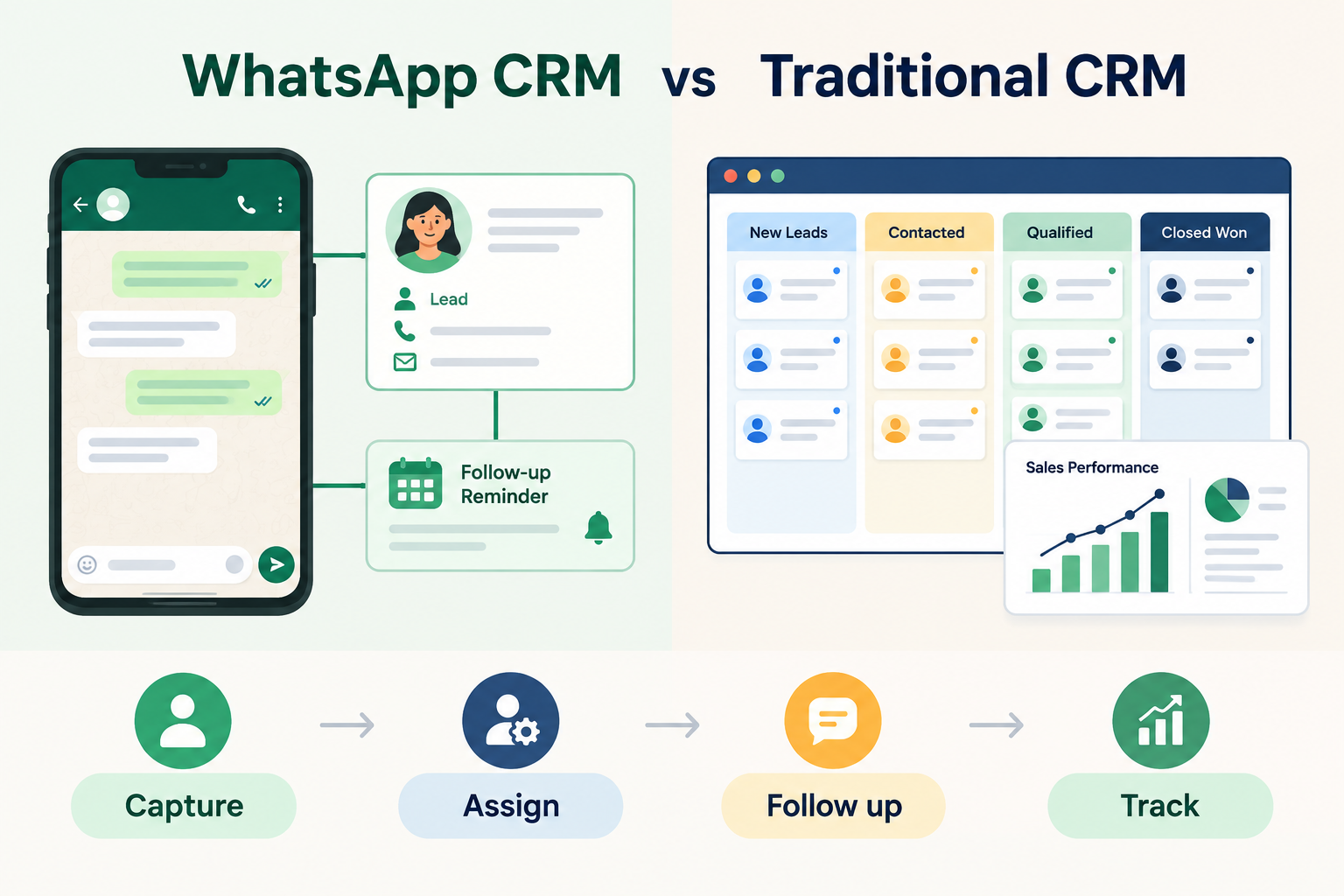
A WhatsApp CRM connects WhatsApp conversations with lead records and follow-up activity. A traditional CRM generally helps a business manage a broader sales process, which may include leads, pipeline stages, tasks and reporting.
They aren’t necessarily different types of software. Some CRMs include WhatsApp features; others offer a basic link to WhatsApp or focus on other sales workflows. To compare them, look at what the tool actually lets your team do.
WhatsApp CRM vs Traditional CRM: Quick Comparison

| Area | WhatsApp-focused CRM setup | Broader CRM setup |
|---|---|---|
| Main focus | Managing leads and communication around WhatsApp | Managing a wider sales or customer process |
| Conversations | May connect WhatsApp messaging with lead records | May organise calls, emails, tasks, meetings and other activity |
| Lead tracking | Can link a chat to lead ownership and next steps | May track leads through defined pipeline stages |
| Follow-ups | May include chat-related reminders or messaging workflows | May include tasks, reminders and sales workflows |
| Automation | Depends on the CRM and WhatsApp connection | Varies by product and setup |
| Reporting | May focus on messaging and lead activity | May include pipeline or team activity reporting |
These are broad patterns, not guarantees. Check each product’s specific features and integration setup.
What Is a WhatsApp CRM?
A WhatsApp CRM connects WhatsApp communication with a lead or customer record. That can help a team keep track of who made an enquiry, who is responsible for it and what should happen next.
Depending on the product, it may let a team open WhatsApp from a lead profile, record message activity, schedule follow-ups or send messages through the WhatsApp Business API.
The words “WhatsApp integration” don’t tell you exactly what a product can do. One setup may simply open a chat in a rep’s WhatsApp app. Another may support in-CRM messaging, incoming replies and automated messages through the Business API.
What Is a Traditional CRM?
A traditional CRM supports a broader way of managing sales or customer relationships. It may help a team store contact details, assign leads, track sales stages, record activity, schedule tasks and review reports.
Some traditional CRMs also connect to WhatsApp. Others may focus more on email, calls or pipeline management. Check whether the specific product saves WhatsApp activity to a lead record and supports the messaging workflow your team needs.
The Differences That Matter
1. Where your team handles conversations
If many enquiries arrive through WhatsApp, a WhatsApp-connected workflow can make it easier for reps to start a conversation from the lead record.
If your sales process involves several channels—such as calls, email, meetings and messaging—you may also need a wider view of the lead’s history and pipeline progress.
2. What gets recorded
Some WhatsApp connections open a chat but don’t automatically sync every message. Others can record messages or incoming replies on the lead timeline.
Before choosing a CRM, find out exactly what the team will be able to see later. Don’t assume that “WhatsApp integration” means the complete conversation is stored.
3. How follow-ups are managed
A chat can be easy to start and still easy to forget. The useful question is whether a rep can record a clear next step, schedule a follow-up and see when it’s overdue.
Consider how the CRM handles follow-ups across the full sales process—not only WhatsApp conversations.
4. What can be automated
Automation depends on the product and connection. A personal WhatsApp link usually requires a rep to review and send the message themselves. Automated WhatsApp sending generally requires a Business API setup; approved message templates may be needed for messages outside WhatsApp’s 24-hour window.
Make sure the exact workflow is supported before you build your process around it.
When a WhatsApp CRM Setup May Suit Your Team
Consider a WhatsApp-focused setup if:
- Your team handles many enquiries through WhatsApp.
- Reps need to start chats quickly from a lead record.
- You want to connect messaging activity with lead ownership and follow-up.
- You need automated WhatsApp messaging and are prepared to set up the Business API.
When a Broader CRM May Suit Your Team
A broader CRM may fit better if your team needs to manage leads across multiple channels, track opportunities through sales stages or review activity across team members.
WhatsApp can still be part of that workflow. The key is to confirm whether the CRM’s WhatsApp features cover your needs—or whether the connection is limited to opening a chat.
How Ridhzo Handles WhatsApp
Ridhzo supports two WhatsApp modes. In Personal WhatsApp mode, a rep can open a lead’s chat with a pre-filled message; the message is logged on the lead’s timeline. In WhatsApp Business API mode, the team can send messages from inside Ridhzo, receive replies on the lead timeline and use supported automation features such as sequences and campaigns.
The API mode requires a connection through a supported provider, such as Watxio or Meta Cloud API. The right choice depends on whether your team needs a simple, rep-sent message or a more integrated messaging workflow.
Frequently Asked Questions
Is a WhatsApp CRM the same as a traditional CRM?
Not necessarily. A WhatsApp CRM setup focuses on connecting WhatsApp conversations with lead activity. A traditional CRM generally supports a broader sales or customer workflow. Some products combine both.
Does a WhatsApp CRM automatically save every chat?
Not always. Some integrations open WhatsApp without syncing the full conversation. Check whether messages and incoming replies are recorded on the lead record.
Do I need the WhatsApp Business API?
Not for every setup. Personal WhatsApp mode can open a chat for a rep to send a message manually. Automated sending and more integrated messaging workflows require a Business API connection.
Can a traditional CRM work with WhatsApp?
Yes, some CRMs support WhatsApp, but their capabilities vary. Check whether the integration opens chats, logs messages, captures replies and supports automation.
Which is better for a small business?
Choose based on how your team works. If WhatsApp is a major enquiry channel, look for a CRM connection that supports the messaging and follow-up process you need. If your team sells across several channels, consider the broader pipeline and reporting workflow too.
Choose for the Workflow, Not the Label
A WhatsApp CRM setup can help teams manage WhatsApp-led enquiries. A broader CRM can help organise the wider sales process. For many businesses, the practical choice is a CRM that supports both—but the exact capabilities depend on the product and its WhatsApp connection.