
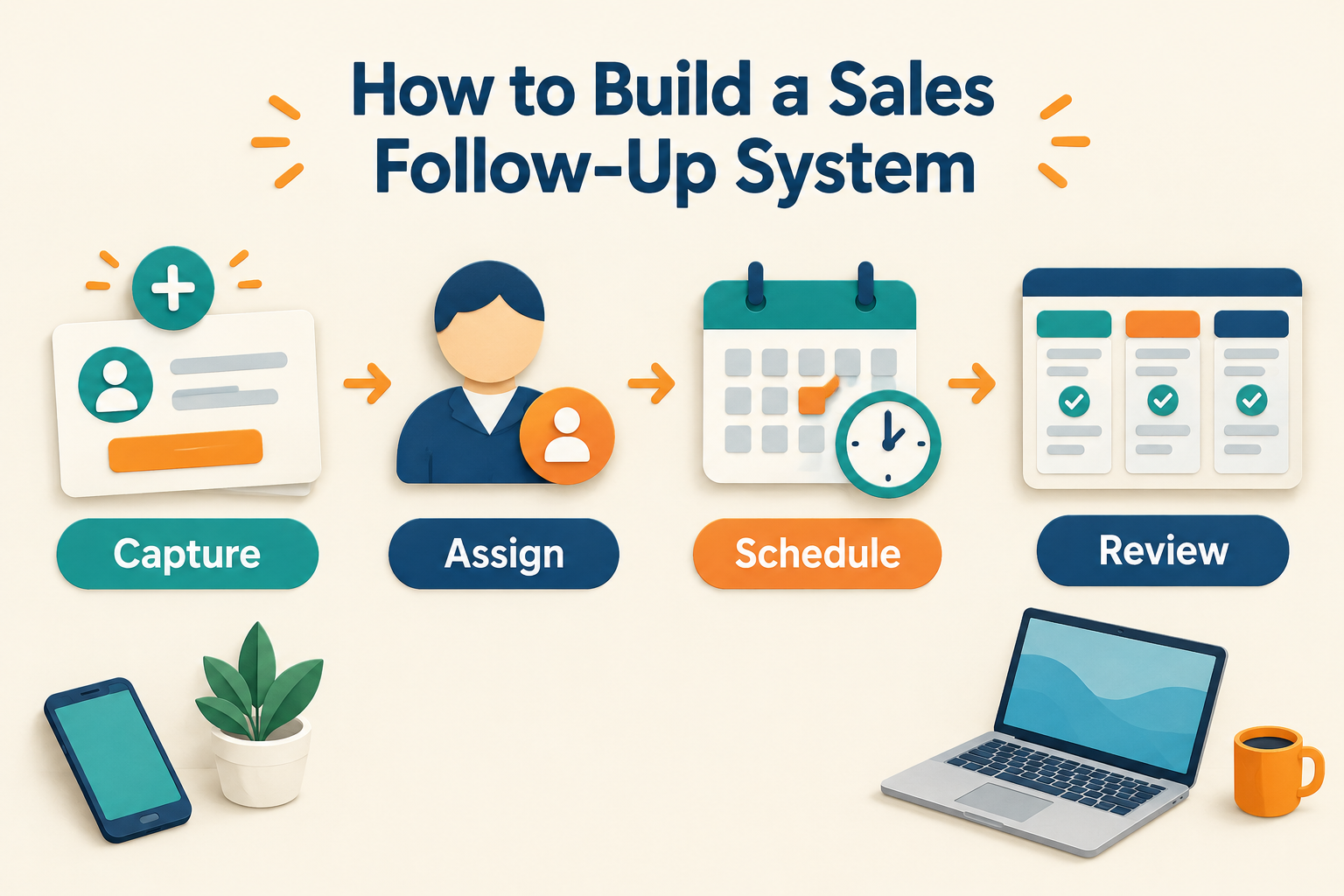
A prospect enquires, someone on your team responds, and then the next step gets lost in a notebook, chat thread or memory.
A sales follow-up system prevents that. It gives every lead an owner, records what happened, and makes the next action visible—with a clear point at which outreach should pause or stop.
You don’t need a complicated process to get started. A shared set of stages, dated follow-ups and a regular review can make follow-through more consistent.

What Is a Sales Follow-Up System?
A sales follow-up system is the process your team uses to decide:
- Who is responsible for each lead.
- What should happen after each interaction.
- When and how the next contact should happen.
- Where to record the conversation and its outcome.
- When to stop a planned follow-up.
It can be managed manually or supported by a CRM. The important part is that the next step is recorded somewhere the right person can find it—not left to memory.
Step 1: Define What Happens to a New Lead
Start by mapping the first few steps after an enquiry arrives. For example:
- Capture the lead and record its source.
- Assign one person to own the next contact.
- Make the first response.
- Record the conversation or attempted contact.
- Set a dated next step.
Be specific about ownership. If several people assume someone else is handling an enquiry, it can sit untouched. A single owner makes responsibility clear, even if the lead is reassigned later.For help designing the stages leads move through, see How to Build a Sales Pipeline.
Step 2: Record a Next Action After Every Interaction
At the end of a call or message exchange, decide what should happen next. That might be another call, a WhatsApp message, a meeting, or a task to share a quotation.
Record the action with:
- A due date and time.
- A contact type, such as call, WhatsApp, meeting or task.
- A short note explaining the purpose.
“Follow up later” is hard to act on. “Call Thursday at 11 to discuss the site visit” gives the rep a clear task and preserves the context.For guidance on choosing a reasonable contact rhythm, see How Many Times Should You Follow Up With a Lead?.
Step 3: Choose a Follow-Up Rhythm That Fits the Enquiry
There isn’t one schedule that suits every business. Consider what the person asked for, how urgent it is, their preferred contact method and the likely buying timeline.
For a recent enquiry that has gone quiet, you might start with an initial response and a few spaced follow-ups over the next couple of weeks. Give each attempt a purpose: answer a question, share useful information, offer a meeting or check whether the timing has changed.
A seven-day sequence can be a useful starting framework, but it should not mean sending a message every day. See How to Build a 7-Day Lead Follow-Up Sequence for an example schedule.
Step 4: Set Clear Rules for Replies and No Replies
Your process should explain what happens in both cases.
If the lead replies: Stop generic follow-ups and agree on a relevant next action with the person. If the lead doesn’t reply: Continue only according to your planned schedule. Review whether the message is useful and whether you’re using an appropriate channel. If the person declines or asks you to stop: End the outreach. A follow-up system should support respectful communication, not encourage repeated unwanted contact.If you use automated messages, make sure the process accounts for replies and changes in the lead’s status. Automated messages may also depend on the messaging setup and channel being used.
Step 5: Make Due and Overdue Work Visible
Reps need a simple way to see what is due today, what is coming up and what is already overdue. Managers need enough visibility to spot leads without a next step and follow-ups that have been missed.
A short daily check can help a rep prioritize. A weekly team review can look for patterns:
- Which open leads have no next action?
- Which follow-ups are overdue?
- Are enquiries being assigned promptly?
- Which stage or source has the most leads stalled?
- Are planned contact attempts leading to replies or agreed next steps?
Focus on making the process easier to follow, not just asking reps to “try harder.”
Step 6: Automate Repetitive Steps Carefully
Automation can help with routine, rule-based tasks, such as assigning a lead, scheduling a reminder or enrolling a suitable lead in a message sequence. Keep a person responsible for reviewing the conversation and handling replies with context.
If messages are sent automatically, check that the workflow has appropriate stopping conditions. Ridhzo’s documented sequences can stop when a lead replies or is marked as won, lost or unqualified. It also supports multi-step WhatsApp and email sequences, with personal WhatsApp steps available as reminders for the rep when the Business API is not being used.
How Ridhzo Can Support the Process
Ridhzo provides tools for recording and organizing follow-up work:
- Reps can create follow-ups on a lead with a title, date and time, notes, and type.
- Follow-ups can be viewed as Today, Upcoming, Overdue or Completed, or on a calendar.
- Reminders can arrive through push notifications and the in-app bell, with optional email.
- Automations can schedule a follow-up after an event, such as a new lead or completed site visit.
- When a call is logged or synced from the Android app, a matching follow-up can be marked complete if the call is answered; missed or unanswered calls leave the follow-up open.
- Managers can see overdue follow-ups ranked by severity for oversight.
The right setup depends on how your team works. Start with the steps your reps can consistently maintain, then add automation where it removes repetitive admin without making the conversation feel impersonal.
A Simple Sales Follow-Up System Checklist
Before putting your process into practice, confirm that:
- Every lead has one clear owner.
- Each interaction is recorded on the lead.
- Every active lead has a dated next step—or a documented reason it doesn’t.
- Reps can see today’s and overdue follow-ups.
- The team knows what to do when a lead replies, declines or stays silent.
- Automated sequences have suitable stop rules.
- Managers review stalled leads and missed follow-ups regularly.
FAQ
How often should a sales team follow up with a lead?
It depends on the enquiry, the prospect’s preferences and the buying timeline. Choose a schedule in advance, space attempts appropriately and stop if the person declines or asks you to stop.
What should a sales follow-up include?
Use the context of the conversation. Refer to the person’s question or requirement, provide a useful next step, and make it easy for them to respond.
Should follow-ups be automated?
Routine reminders and scheduling can be automated. Automated messages need careful setup, appropriate stopping conditions and human oversight—especially when a lead replies or the situation changes.
What is the most important part of a follow-up system?
A clear next action with an owner and due date. That turns a vague intention into work someone can actually complete.
A follow-up system works best when it reflects your real sales process and is easy for the team to use every day. Start with ownership, a recorded next step and a simple review; automate only the parts that are genuinely repetitive.