
A person fills out your enquiry form. They expect someone to get back to them. But the lead doesn’t appear where your sales team is looking, no one knows who should respond, or the follow-up gets buried under other work.
The form may be working perfectly. The gap is often what happens after submission.
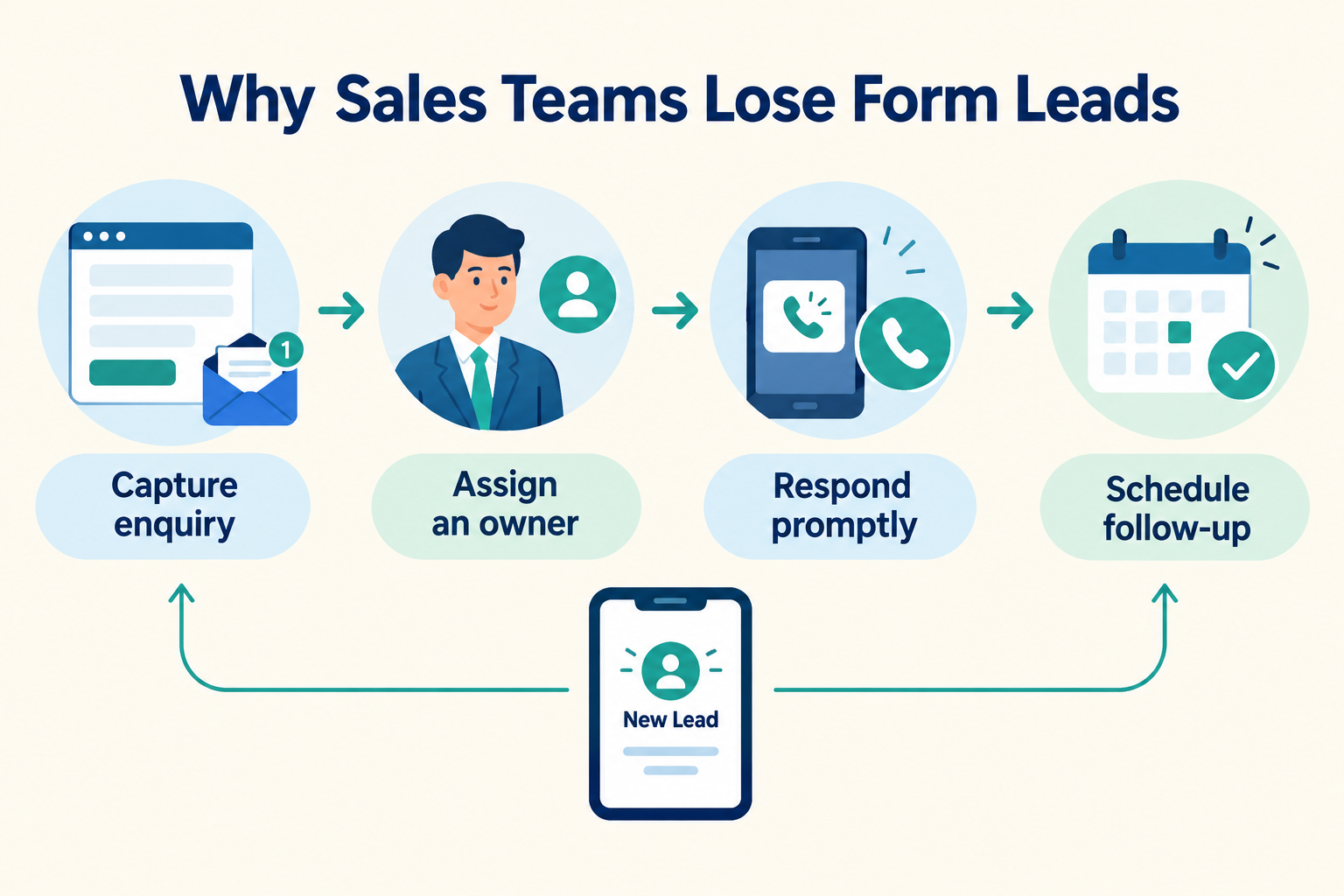
To stop losing form leads, make sure each enquiry reaches a shared system, has one clear owner, gets a timely personal response and has a defined next step.

1. The Lead Doesn’t Reach the Sales Team
A form can collect an enquiry without delivering it reliably to the people who need to act on it. Leads may sit in an inbox, a form-builder dashboard or an advertising account—or someone may need to download and forward them manually.
What to check: Submit a test enquiry and follow it all the way through. Does it arrive in the system your sales team actually uses? Are the contact details, answers and source captured?
For an existing website form, a webhook or supported connection can send enquiries into a CRM. A hosted form can also be shared as a link or embedded on a website. Don’t assume that connecting one form or lead source covers every other form on your site.
2. Nobody Owns the New Enquiry
A notification sent to a group can feel like a handoff, but it doesn’t tell anyone who is responsible. One salesperson may assume someone else will call; another may contact the same person.
Give every new lead one owner. Decide who covers when that person is unavailable, and make the handoff visible to the team.
For teams using Ridhzo, new leads can be assigned manually or through options such as round-robin, team-based or capacity-based assignment. Assignment rules can also route leads using conditions such as source or location.
3. The Alert Is Missed or Too Easy to Ignore
Even when a lead reaches the right system, an alert that goes unnoticed can leave the enquiry waiting. The owner might be away from their desk, handling another call or simply not checking the right inbox.
Send new-lead alerts to the person expected to respond, and check that the alert is enabled on the device or channel they use. Make it easy to open the lead directly from the notification rather than asking the rep to search for it.
Agree on a realistic response target for staffed hours. Track the first personal contact attempt separately from an automatic acknowledgement: a confirmation message tells the prospect their enquiry arrived, but it does not mean a salesperson has contacted them.
4. The First Reply Doesn’t Address the Enquiry
A fast, generic response can still feel unhelpful. If the person asked about a specific service, location, product or budget, make sure the salesperson sees that context before reaching out.
Keep form answers attached to the lead record. Use them to personalise the opening:
Hi Asha, thanks for asking about our weekend design consultation. I saw that you’re planning a kitchen renovation. Is there a good time today to discuss the next steps?
The goal is to show that you read the enquiry—not to make the prospect repeat what they already shared.
5. There’s No Next Step After the First Attempt
Many leads won’t answer the first call or message. If the salesperson has no reminder, the lead can quietly disappear from the team’s attention.
After each contact attempt, record what happened and schedule a dated next action. For example: call again tomorrow afternoon, send the requested details, or check back next week if the person asked for more time.
A short, consistent follow-up plan is more reliable than expecting reps to remember every callback.
6. The Team Can’t See Where Leads Are Getting Stuck
If managers only see the number of submitted forms, they can’t tell whether the breakdown is at capture, assignment, first response or follow-up.
Review a few practical measures:
- Capture: Did the enquiry reach the sales system?
- Ownership: How long did it take to assign someone?
- First response: How long until the first personal contact attempt?
- Follow-up: How many leads have no next action?
- Progress: Which leads move to the next pipeline stage, and which stall?
Compare the pattern by source, team member and pipeline stage. A delay affecting one form or campaign needs a different fix from a team-wide follow-up problem.
A Simple Workflow for Every Form Lead
Use this sequence as a starting point:
- Capture the form submission in a shared lead system.
- Preserve context such as form answers and source.
- Assign one owner and set backup coverage.
- Alert the owner through a channel they actively monitor.
- Make a personal contact attempt within your agreed response window.
- Record the outcome and schedule the next action.
- Review the pipeline to find missed or stalled leads.
Ridhzo supports lead capture from sources including Facebook and Instagram Lead Ads, Google Lead Form Ads, hosted forms and website forms connected through a webhook. It can also assign leads, alert owners, track follow-ups and show pipeline and sales insights. The right setup depends on how your specific form is connected, so test a submission before relying on the workflow.
Frequently Asked Questions
Why are form leads not appearing in the CRM?
The form may not be connected to the system your team uses, or the connection may need configuration. Submit a test enquiry and check where it goes, which fields arrive and whether the lead appears in the correct workspace or pipeline.
Who should follow up with a new form lead?
Assign one person as the owner of each lead. If that person is unavailable, define a backup and make the reassignment clear so the enquiry isn’t left in a shared queue.
Is an automatic confirmation enough?
No. It confirms that the form was received, but it isn’t a personal contact attempt. Track the acknowledgement and the salesperson’s first call or personalised message as separate events.
How can we stop leads from being forgotten after the first call?
Record the call outcome and set a dated next action before moving on. Review leads without a next action regularly so callbacks don’t depend on memory.
Turn Form Submissions Into a Follow-Up Process
A form submission is the start of the sales process, not the end of marketing’s job. When capture, ownership, alerts and follow-up are connected, your team can see what needs attention and take the next step.