
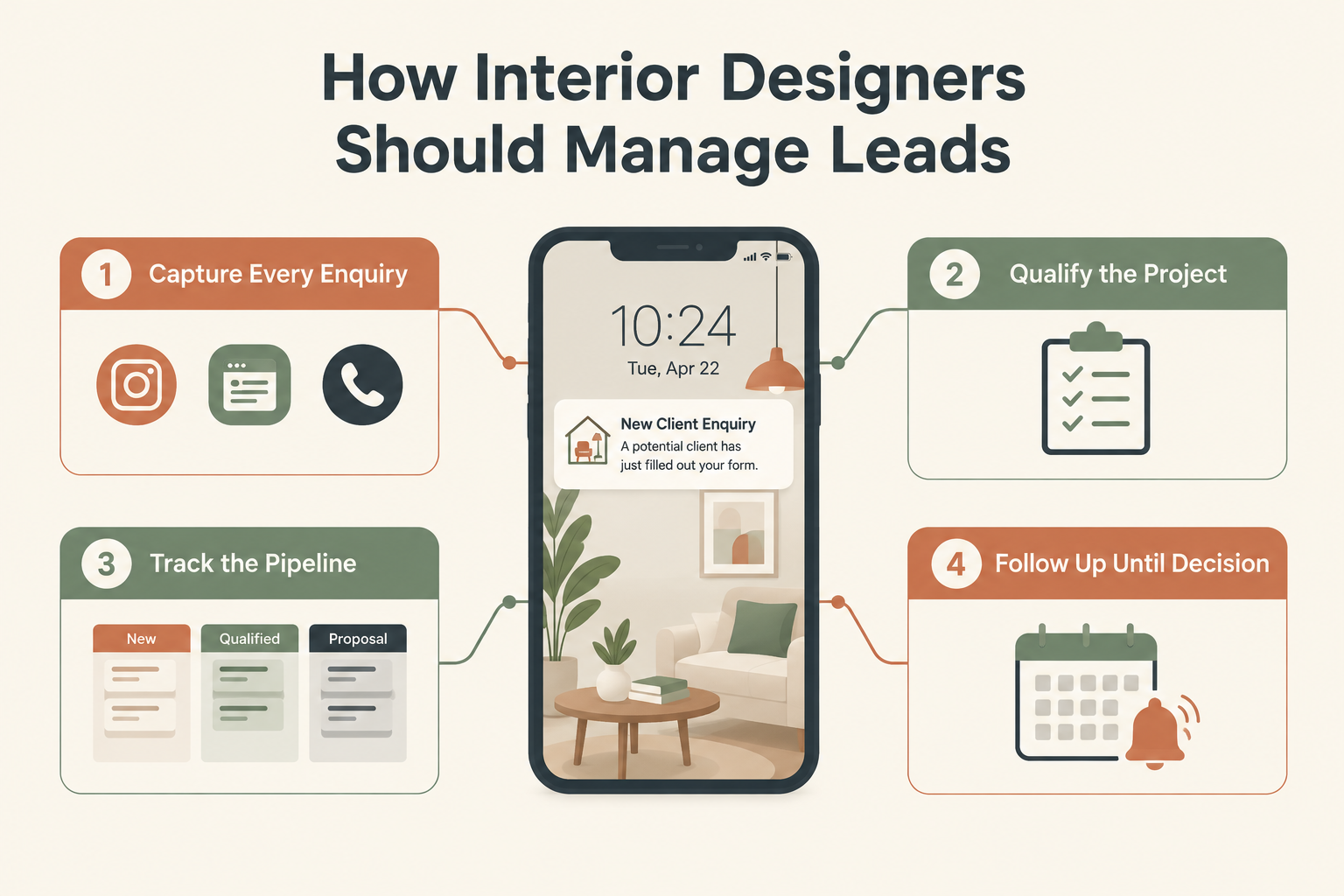
An interior design enquiry can arrive anywhere — an Instagram DM, a website form, a Google ad, a referral, or a missed call while you are on-site. The homeowner is comparing several designers at once, and the one who responds first, understands the project, and follows up reliably often wins the work.
Most studios do not lose projects because their design work is weak. They lose them because enquiries sit unread, consultations never get scheduled, and proposals go quiet after the first send.
This guide walks through a practical lead management process for interior designers — from the first enquiry to a won or lost decision.
Why Lead Management Is Different for Interior Designers
Interior design sales have three features that make lead management harder than it looks:
Long decision cycles. A homeowner may take weeks or months between the first enquiry and signing a project. Interest that fades without follow-up is not lost — it is just unmanaged.
Mixed enquiry sources. Instagram, Google, website forms, referrals, and phone calls all produce leads, and most of them end up in different places — chat threads, an inbox, a spreadsheet, or someone’s memory.
High-value, detail-heavy conversations. Before you can quote, you need scope, budget, timeline, and property details. That information usually arrives across several conversations, and it needs to live somewhere the whole team can see.
The fix is not more marketing. It is a simple, repeatable process for handling the enquiries you already receive.
Step 1: Capture Every Enquiry in One Place
Every genuine enquiry — from any channel — should create one lead record containing:
- Name and contact details
- Source (Instagram, Google, website, referral, call, walk-in)
- Property type and location
- Project type (full home, kitchen, single room, office)
- Date of enquiry and who owns the follow-up
If your enquiries currently sit in Instagram DMs, WhatsApp chats, and email, start by recording each new one in a single shared place. If the volume justifies it, connect your channels so capture happens automatically — Facebook and Instagram Lead Ads, Google Lead Form Ads, website forms, and CSV imports can all feed a CRM directly.
Keep it short. Do not ask for full project details in the enquiry form. Qualification happens in the conversation.
Step 2: Qualify the Project Early
Not every enquiry deserves a consultation. Before investing hours in site visits and mood boards, confirm:
- Scope: Is it a single room, a full home, a renovation, or a turnkey project?
- Budget range: Does it match your project minimums?
- Location: Is the property in an area you serve?
- Timeline: When do they want to start, and is the property occupied?
- Decision-makers: Who else is involved — spouse, parents, architect?
A polite, specific set of questions filters out poor-fit projects early and shows serious prospects that you run a professional practice. Disqualify politely — today’s mismatch may become next year’s referral.
Step 3: Assign One Owner Per Lead
Every active enquiry should have one named person responsible for moving it forward. In a small studio that is usually the principal designer; in a growing team, leads can be assigned by location, project type, or availability.
Ownership matters most when the owner is busy or on leave. Without a backup arrangement, enquiries wait silently — and the homeowner calls a competitor.
Step 4: Use a Pipeline That Matches How Design Projects Actually Work
A generic sales pipeline does not fit design work. Use stages that reflect your real process, for example:
New → Contacted → Consultation Scheduled → Consulted → Proposal Sent → Negotiation → Won / Lost
Two rules keep a pipeline honest:
Stages describe progress, not tasks. “Proposal Sent” is a stage. “Send revised quote Friday” is a next action — record it separately with a date.
Give each stage a clear meaning. “Contacted” should mean a two-way conversation happened. An unanswered call is an attempt, not a conversation.
The pipeline is also your workload view. When you can see that six proposals are out and nothing is scheduled to follow them up, you know exactly what Monday morning looks like.
Step 5: Run Consultations That Move the Project Forward
The consultation is your main qualification and selling step. Before the meeting, review the lead record — source, stated scope, budget, timeline — so the conversation starts warm.
Immediately after, record:
- What was discussed and decided
- Agreed scope and budget range
- The proposal you promised to send, and when
- The next action with a date
The consultation notes are what make the proposal personal. If they only live in the designer’s head, the follow-up quality depends on who remembers what.
Step 6: Follow Up Until There Is a Decision
Design proposals have a long tail. Many clients need two or three nudges before they respond — not because they are uninterested, but because a renovation decision involves other people and money.
A simple follow-up rhythm works well:
- Day 1–2 after sending the proposal: confirm it arrived, offer to walk through it.
- Day 4–5: ask if there are questions or changes to scope or budget.
- Day 8–10: check on the decision timeline, and offer to adjust the proposal if needed.
Every follow-up should have a purpose and a next step — never just “checking in.” And when a lead goes quiet after several genuine attempts, close it as lost with a reason. A closed lead with a recorded outcome is better data than an open lead nobody owns. You can always re-open it when the client reconnects — which many do, months later.
Step 7: Review Your Leads by Source and Stage
Once your process is running, the patterns become visible:
- Which source produces consultations, not just enquiries?
- Where do leads stall — after first contact, after consultation, or after the proposal?
- Which lead sources convert to signed projects?
An Instagram enquiry that never converts to a consultation tells you something different from a Google lead that stalls at the proposal stage. The first is a targeting problem; the second is a pricing or proposal problem.

How Ridhzo Supports This Process
Ridhzo is a mobile-first lead CRM that fits the way design studios actually work — on the phone, between site visits.
- Capture: Bring enquiries in from Facebook and Instagram Lead Ads, Google Lead Form Ads, website forms, hosted forms, webhooks/API, CSV imports, or manual entry.
- Assignment: Route new enquiries automatically using round-robin, capacity-based, or team-based rules, with instant mobile alerts so the right designer responds fast.
- Pipeline: Use custom statuses and a pipeline board that match your consultation-to-proposal process.
- Communication: One-tap WhatsApp, call, and email from the lead record. The native Android app syncs calls automatically — incoming, outgoing, and missed — with timestamps and duration.
- Follow-ups: Schedule dated reminders against each lead. When someone asks for a call on Friday, it exists as a reminder, not a memory.
- Automation: WHEN → IF → THEN workflows for repetitive steps — assigning new enquiries, changing statuses, or scheduling follow-ups. Automated WhatsApp messages run through a supported WhatsApp Business API connection.
- Insights: Dashboards and insights to review leads by source, salesperson, and stage, including first-response time and win/loss outcomes.
Actual results depend on your portfolio, pricing, and follow-up discipline — the system makes the process visible and repeatable.
Common Interior Design Lead Management Mistakes
- DMs as the lead list. Chat threads do not show owner, stage, or next action.
- Consulting with everyone. Qualify scope, budget, and location first.
- Proposals with no dated follow-up. A proposal sent is not a project won.
- Leads left open forever. Record won, lost, or deferred outcomes.
- One person holding all context. If notes live in one person’s head, the process breaks when they are away.
Frequently Asked Questions
How quickly should I respond to a design enquiry?
As fast as possible. Homeowners typically contact several designers at once, and the first substantive response shapes the shortlist. Even a short acknowledgment with a question about scope keeps the conversation moving.
Should I use a spreadsheet for design enquiries?
Spreadsheets work until shared responsibility, reminders, and multiple channels make them hard to maintain. When updates slow down and follow-ups get missed, a simple CRM earns its place.
Can I manage interior design leads on WhatsApp?
Yes — WhatsApp is where many clients prefer to talk. The key is keeping a lead record, owner, stage, and dated next action alongside the conversation, not inside it. See our guide on managing sales leads on WhatsApp.
What pipeline stages should a design studio use?
Whatever matches your process — typically New, Contacted, Consultation Scheduled, Consulted, Proposal Sent, Negotiation, Won/Lost. Custom statuses let you adapt stages to your workflow.