
Every clinic has the same quiet problem: people who wanted an appointment but never became patients. They filled a form on your website, replied to a Facebook or Google ad, or called while the front desk was busy — and somehow the enquiry slipped through.
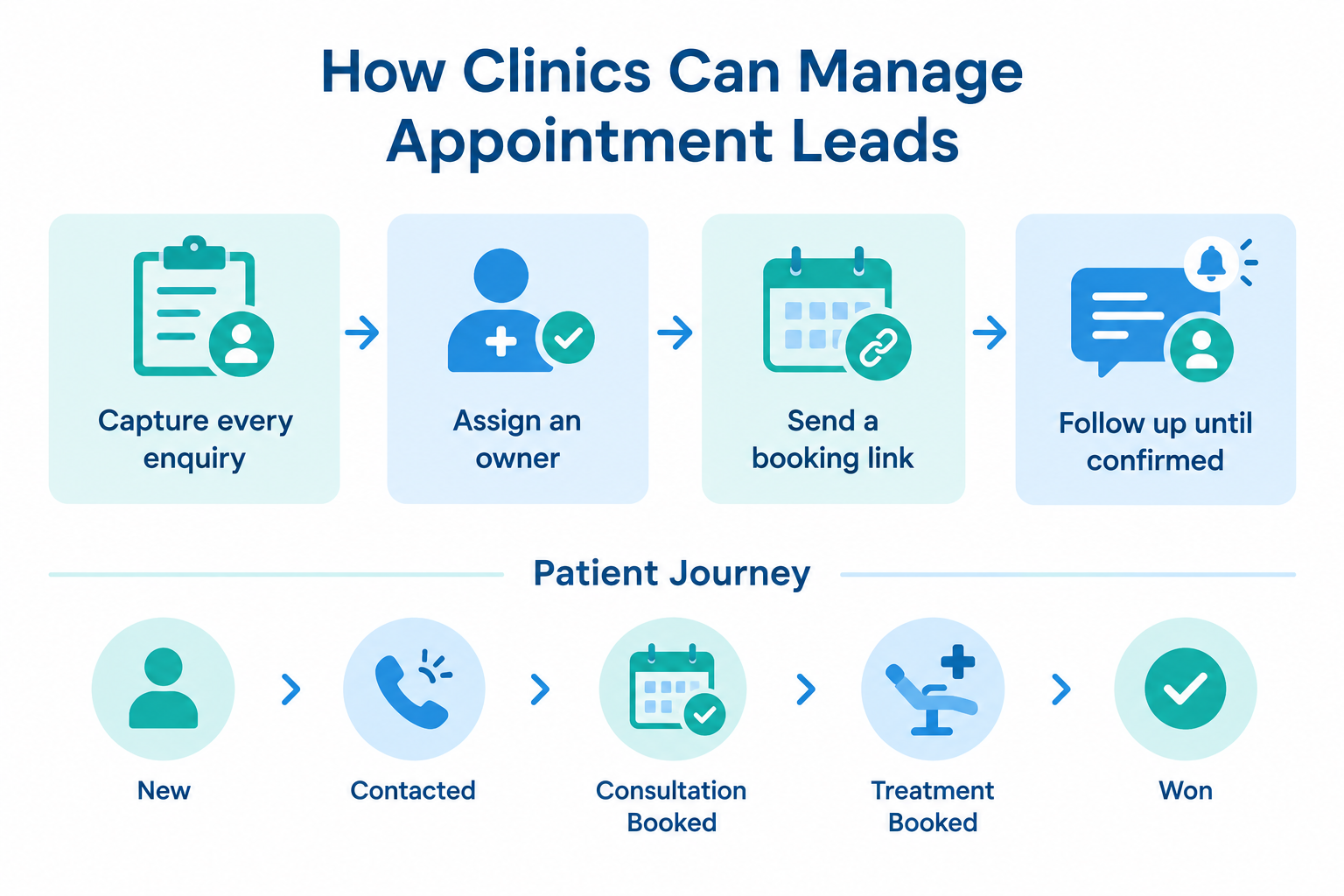
Managing appointment leads well is not about working harder. It is about having a system that captures every enquiry, makes someone responsible for it, and keeps following up until the patient books, reschedules, or clearly says no. Here is how to build that system.
Why appointment leads are different from regular enquiries
A clinic enquiry is usually time-sensitive and intent-driven. Someone asking about a consultation, a price, or a treatment date is often comparing two or three clinics the same week. The clinic that answers first and makes booking easy usually wins the appointment.
That means the two things that decide your enquiry-to-appointment rate are:
- Speed of first response — how fast someone replies to the enquiry.
- Reliability of follow-up — whether the clinic keeps in touch until a decision, instead of assuming silence means “not interested.”
If both of those depend on memory, sticky notes, and a shared spreadsheet, enquiries will keep leaking.
Step 1: Capture every enquiry in one place
Before you can manage appointment leads, they have to arrive somewhere organised. Typical clinic enquiry sources:
- Facebook and Instagram lead ads
- Google lead form ads
- Your website contact or enquiry form
- Phone calls, including missed calls
- WhatsApp messages and DMs
- Walk-ins and phone numbers collected at reception
The problem is rarely one source — it is that they land in five different inboxes. A receptionist checking Facebook, a manager checking email, and a doctor hearing about a WhatsApp message days later is how leads disappear.
What to do: bring every source into one place — ideally a system that captures ad leads and form submissions automatically, flags missed calls so they can be called back, and shows every enquiry in a single list with its source recorded.
Step 2: Give every enquiry an owner
An enquiry with no owner is an enquiry nobody is responsible for. When two people at the desk both think the other called back, the patient called another clinic instead.
What to do: assign each enquiry to one specific person the moment it arrives. If your volume justifies it, use automatic assignment so enquiries are shared fairly — round-robin between front-desk staff, or by team (for example, dental vs. dermatology), or by capacity so the person with the lightest load gets the next enquiry.
The test is simple: for any enquiry in the last week, you should be able to name the person who was responsible for responding to it.
Step 3: Respond fast — and make booking the easy part
Speed matters most in the first hour. But a fast reply is wasted if the next step is “we’ll find a slot and call you back.” The best response both answers the question and offers a concrete time.
Two things help enormously here:
- Templates. Save your common replies — consultation fees, timings, what to bring — so the front desk can respond in seconds without typing the same message for the tenth time.
- A booking link. Instead of playing phone tag, send patients a link where they book a slot themselves. A public booking page that shows only your real working hours and available slots removes the back-and-forth entirely.
Example workflow: a patient messages on Instagram at 9 PM about a cleaning. The reply goes out automatically, includes the clinic’s booking link, and the patient books the 11 AM slot for the next day. The front desk sees it in the morning.
Step 4: Confirm, remind, and handle no-shows
A booked appointment is not a finished lead. Reduce no-shows by treating every booking as a small follow-up sequence:
- Confirmation the moment the slot is booked — with the time, clinic address, and a map link.
- A reminder 24 hours before, and a shorter one an hour before.
- A no-show step: if the patient does not turn up, mark it, and immediately schedule a reschedule follow-up instead of leaving the lead in limbo.
Do the same for cancellations — a cancellation should create a follow-up task, not close the lead.
Step 5: Track where each patient is in the process
Once you are capturing and booking, you need to see the funnel. A simple pipeline that mirrors how clinics actually work might be:
New → Contacted → Consultation Booked → Consulted → Treatment Planned → Treatment Booked → Won / Lost
With this in place, a practice manager can answer real questions at a glance:
- How many enquiries came in last month, and from which source?
- How fast are we responding to new enquiries on average?
- How many booked consultations actually attended?
- Which ad source produces booked treatments, not just enquiries?
- Which enquiries are sitting with no follow-up scheduled?
Those last two are the ones spreadsheets hide and CRMs expose: enquiries that arrived but stalled, and marketing spend that generates enquiries but not patients.
Step 6: Follow up until there is a real decision
Many patients who say “I’ll think about it” genuinely intend to — and then life happens. A planned follow-up sequence matters more here than persistence. A sensible pattern:
- Day 1: respond, answer questions, offer a booking link.
- Day 2–3: a gentle check-in if no reply.
- Day 7: one more touch with something useful — fees, timings, or a specific available slot.
- Then: either a dated reminder further out (for patients waiting on salary cycles or family decisions) or a polite close as “not now.”
Every follow-up should have a date attached to it. “We’ll follow up sometime next week” is how leads fall through cracks; “follow up with Ananya on Thursday about the crown quote” is how they convert.

Where Ridhzo fits
If you manage appointment leads manually today, Ridhzo supports this exact workflow:
- Automatic capture from Facebook and Instagram lead ads, Google lead form ads, website forms, and missed calls — every enquiry lands in one list with its source recorded.
- Automatic assignment — round-robin, team-based, capacity-based, or rule-based, so every enquiry has an owner.
- Instant new-lead alerts on mobile so the first response goes out fast, even when the enquiry arrives at 2 AM.
- WhatsApp-first messaging with saved templates for common replies, plus AI-drafted follow-ups a rep can review and send.
- A public booking page (
/book/your-business) where patients book 30-minute slots themselves within your real business hours — bookings automatically create the lead and the appointment, and sync to Google Calendar. - Automatic confirmations and reminders to the patient, plus no-show handling that schedules the reschedule follow-up for you.
- Dated follow-up reminders with escalation, a clear pipeline view, and reporting on first-response time, conversions, and outcomes by source.
- Automatic call logging on Android, so every patient call is on the lead’s timeline without anyone typing notes.
FAQs
How fast should a clinic respond to an enquiry? As fast as you realistically can — ideally within minutes during working hours, and first thing the next morning for overnight enquiries. Patients comparing clinics usually contact the responsive one first, so anything that triggers an instant acknowledgement helps.
What is the best way to reduce appointment no-shows? Confirmations at the time of booking, plus reminders before the appointment (24 hours and 1 hour works well), and a reschedule follow-up whenever a patient misses a slot.
Should we follow up with patients who stopped replying? Yes — briefly. One or two polite check-ins with something concrete (an available slot, fee information) is helpful, not pushy. If there is still no reply, close the lead as “not now” rather than leaving it open forever.
Do we need a CRM, or is a shared calendar enough? A calendar manages booked appointments. It does not capture ad and form enquiries, flag missed calls, assign owners, or follow up with patients who have not booked yet. If enquiries arrive from several channels, that gap is where most patients are lost.