
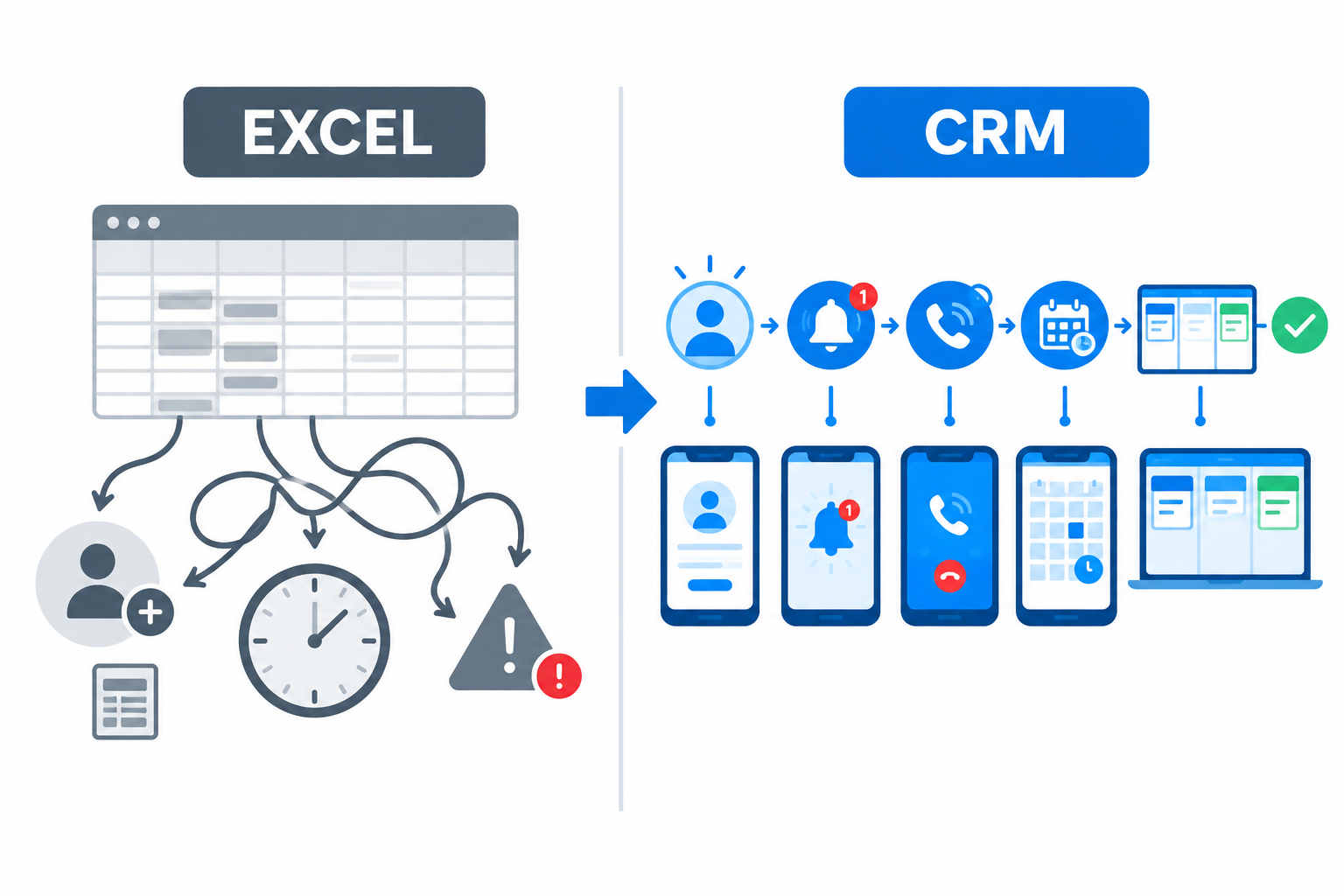
Most small businesses don’t start with a CRM. They start with a spreadsheet: one Excel sheet, columns for name, phone, source and status, and a promise to keep it updated.
For a while, it works. Then leads arrive faster, two people edit the same row, someone forgets to log a call, and the follow-up column quietly fills with dates that have already passed.
This article compares Ridhzo, a mobile-first lead CRM, with Excel for lead management — honestly, feature by feature, including where a spreadsheet is genuinely enough.

Quick Comparison
| Capability | Excel / Google Sheets | Ridhzo |
|---|---|---|
| Lead capture | Manual entry or CSV import | Automatic from Facebook & Instagram Lead Ads, Google Lead Form Ads, website forms, hosted forms, webhooks/API, CSV, missed calls, Android call sync |
| Lead alerts | None | High-priority push notification in seconds, with sound and tap-to-open |
| Ownership | A name typed in a cell | Automatic assignment — round-robin, capacity, team rules |
| Follow-ups | You remember, or you don’t | Reminders, calendar, overdue escalation, auto-complete on answered calls |
| Call tracking | Manual logging | Automatic Android call sync with duration and timestamps; caller ID for active leads |
| Messaging | Copy-paste numbers | One-tap WhatsApp, call and email; AI-drafted replies (Starter+) |
| Automation | Formulas and macros, if you can write them | WHEN → IF → THEN workflows and drip sequences, no code |
| Team access | File sharing, version conflicts, permission limits | One shared system, roles, audit log, offline mobile sync |
| Reporting | Build pivot tables yourself | Dashboards: response time, call answer rates, win rate, revenue by source, rep leaderboard |
| Mobile | Clunky on a phone | Native Android app and installable PWA (Android/iOS) |
Where a Spreadsheet Is Enough
Honesty first: Excel is a reasonable choice when:
- You get a handful of enquiries a week from one or two sources.
- One person handles every lead, so there are no ownership questions.
- Your follow-up rhythm is simple enough to keep in your head.
- You enjoy building the tracker yourself and maintaining it.
A spreadsheet is a blank canvas — flexible, free, and familiar. If none of the pain points below sound familiar, you may not need to change anything yet.
Where the Spreadsheet Breaks Down
1. Someone has to type every lead in
Excel has no connection to Facebook Lead Ads, Google lead forms, your website, or your phone. Every enquiry has to be exported, downloaded, or typed — hours or days after the customer raised their hand. In a speed-to-lead sense, the sheet is always behind.
In Ridhzo, leads flow in automatically from Facebook and Instagram Lead Ads, Google Lead Form Ads, website forms, hosted forms, webhooks or API, and CSV import. Missed calls and manual entry are covered too.
2. Nothing alerts you
A new row in a spreadsheet sits there silently. A new lead in Ridhzo triggers an instant high-priority push notification to the assigned owner’s phone — the kind that gets answered in minutes, not hours.
3. Follow-ups depend on memory
The classic failure: a “follow up Friday” note in a cell, and nobody opens the sheet on Friday. Ridhzo follow-ups are dated reminders on the lead, with a calendar, overdue escalation, and automatic completion when an answered call is synced.
4. Calls are invisible
In Excel, call activity is whatever a rep remembers to type. On Android, Ridhzo syncs incoming, outgoing and missed calls automatically with duration and timestamps, matches them to leads, and pre-downloads lead phone keys so incoming calls from active leads show their name before you answer.
5. Version conflicts and no single truth
Two people editing one sheet is how leads get lost — overwritten rows, stale copies, “which file is current?” Ridhzo gives the whole team one shared lead list, pipeline board, roles and an audit log, with offline sync and conflict detection on mobile.
6. Automation means macros
Spreadsheet automation is formulas and macros you have to build and debug. Ridhzo automations are plain-language WHEN → IF → THEN rules: when a lead arrives, if it matches your conditions, then assign it, change its status, schedule a follow-up, or enroll it in a WhatsApp/email sequence.
7. Reporting is a manual project
Pivot tables and chart-building fall to whoever has the patience. Ridhzo’s dashboards show first-response time, call answer rates, conversion, revenue by source, pipeline health and a rep leaderboard out of the box — plus a pipeline board where moving a lead is a drag, not a dropdown.
A Practical Migration Path
- Export your current leads to CSV.
- Import them into Ridhzo (duplicates are detected by phone/email).
- Assign an owner and a status to every active lead.
- Set dated follow-ups for the ones you’ve been meaning to call.
- Connect your highest-volume source first and run a test enquiry end to end.
- Add assignment rules and one automation once the manual process feels clear.
FAQs
Is Excel bad for lead management? No — it’s limited. It stores data well, but it doesn’t capture, alert, remind, track calls, or automate. Those gaps are where leads go cold. Can I import my Excel leads into Ridhzo? Yes, via CSV import. Ridhzo detects duplicates by phone or email so you don’t create double records. What does Ridhzo cost compared to free sheets? Ridhzo has a Free forever plan (1 user, 300 leads, 1 source, 2 automations, 1 sequence). Paid plans start at ₹249/month. Prices exclude GST. Does Ridhzo work if my team is always on the road? Yes — it’s mobile-first, with a native Android app (including automatic call sync and caller ID) and a browser-installable PWA for Android and iOS, with offline sync. Will a CRM fix slow responses by itself? No. It removes the structural causes — manual entry, no alerts, unclear ownership, forgotten follow-ups. Response speed still depends on your team’s coverage and habits. When should I stay with Excel? If enquiries are low-volume, single-channel, handled by one person with a simple follow-up rhythm, a spreadsheet may be genuinely enough — for now.
The Bottom Line
Excel stores leads; Ridhzo moves them. A spreadsheet is a record of what happened — after someone typed it in. Ridhzo captures the enquiry the moment it happens, alerts the right person, keeps the follow-up on schedule, logs the calls automatically, and shows you what’s actually converting.
If your lead volume is small and simple, the sheet still works. The moment leads come from multiple channels and multiple people, the spreadsheet becomes the bottleneck — and that’s the point where a lead CRM earns its keep.