
Most lost sales don’t fail at the negotiation stage. They fail because nobody knew where they stood.
A lead enquired, someone spoke to them once, and the conversation quietly drifted. Three weeks later, the owner asks “whatever happened to that enquiry?” and nobody can answer.
A sales pipeline fixes this. It gives every enquiry a place, a stage and a next action — so your team can see the whole funnel at a glance and spot exactly where deals are stalling.
This guide shows you how to build one from scratch, even if you currently run everything from a spreadsheet or a WhatsApp inbox.

What Is a Sales Pipeline?
A sales pipeline is a visual view of where every open opportunity stands in your sales process.
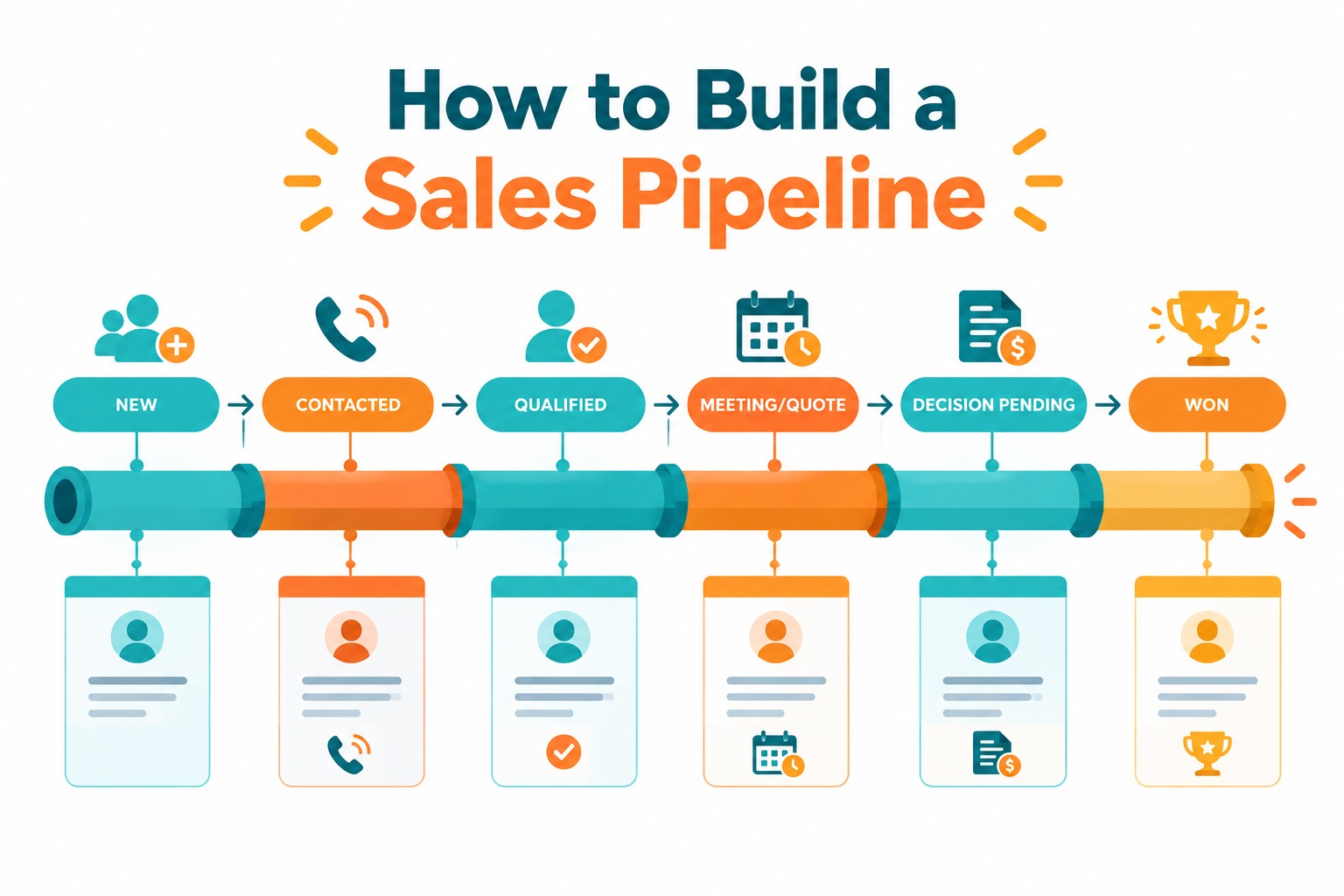
Each column is a stage, and each lead sits in the stage that matches its real progress:
New → Contacted → Qualified → Meeting or Quote → Decision Pending → Won / Lost
That’s the point of a pipeline: it separates actually progressing from just busy. A long chat thread is not progress. A booked consultation is.
Step 1: Map Your Real Sales Process
Before choosing stages, write down what actually happens when someone buys from you. Look at your last 5–10 customers:
- How did they first contact you?
- What happened between the first enquiry and the first conversation?
- What made them a serious buyer?
- What was the key commitment — a meeting, a quote, a site visit?
- How long did the decision take?
The pipeline should mirror that journey. If you’re in real estate, “Site Visit Scheduled” is a real stage. If you run a clinic, “Appointment Booked” is. Don’t copy a template blindly — copy the shape of your own process.
Step 2: Choose 5–7 Stages (No More)
A starting pipeline for most small businesses:
| Stage | What it should mean |
|---|---|
| New | Enquiry received, not yet contacted |
| Contacted | A two-way conversation has happened |
| Qualified | Requirement, budget and fit are confirmed |
| Meeting / Quote | A consultation is booked or a quote has been sent |
| Decision Pending | The prospect has everything they need and is deciding |
| Won / Lost | Final outcome, with a reason |
Two rules keep this healthy: Define each stage so anyone can apply it. “Contacted” means a conversation happened — an unanswered call is an activity, not a stage change. If two reps would classify the same lead differently, your definitions are too vague. Resist adding stages too early. Every extra column is more maintenance and less clarity. Add a stage only when it changes what your team does — “Site Visit Done” earns its place when visits need different follow-up than bookings.
Step 3: Define What Moves a Lead Forward
A stage change should reflect a fact, not a feeling. Set a simple entry condition for each stage:
- New → Contacted: the prospect actually replied.
- Contacted → Qualified: you know the requirement, the rough budget, and the timeline.
- Qualified → Meeting/Quote: a date is agreed or a quote has been sent.
- Decision Pending → Won: they said yes or paid.
Keep stages and tasks separate. “Quote Sent” is progress; “Call Priya on Friday” is an action. A pipeline full of tasks tells you nothing about where the deal actually is.
Step 4: Give Every Lead an Owner and a Dated Next Action
The pipeline is only as good as what sits behind each card. For every active lead, your team should be able to answer three questions:
- Who owns it? One person, not “the team.”
- What stage is it in — really?
- What happens next, and when?
“Follow up later” is not a next action. “Send the revised estimate Thursday morning” is. When a lead sits in a stage for two weeks with no next action, it will still be there in two months.
Step 5: Review the Pipeline Weekly
Pick a fixed slot — Friday afternoon, Monday morning — and check three things:
- Stalled leads: Who has been in a stage far longer than your typical cycle?
- Unassigned or undefined leads: Enquiries with no owner or next action.
- Stage imbalances: Lots of leads at “Quote Sent” but none reaching “Decision Pending”? Your problem is closing or qualification, not lead flow.
Look also at why you lose. Price? Competitor? Wrong fit? Ghosted? A handful of lost reasons, reviewed monthly, tells you whether to fix pricing, qualification or follow-up.
Setting It Up in Ridhzo
Ridhzo is built around exactly this workflow, so you can go from this article to a working pipeline quickly:
- Custom stages: Rename, add, reorder and colour statuses in Settings → General → Statuses. A real estate team can run New → Contacted → Site Visit Scheduled → Negotiation → Booked → Lost; a clinic can run New → Appointment Booked → Visited → Treatment Started. Each status belongs to a group (open, won, lost), so win-rate and conversion reports work automatically.
- Pipeline board: A drag-and-drop Kanban board where each column is one of your stages. Moving a card saves instantly, records who moved it and when, and keeps a full status history — which powers conversion and funnel-velocity reporting.
- Automatic status tracking: Every change is logged, so you can see how long leads sit in each stage and where they stall.
- Capture into the pipeline: Enquiries arrive from Facebook and Instagram Lead Ads, Google Lead Form Ads, hosted web forms, website webhooks, CSV import or manual entry — so new leads land in “New” instead of a forwarded screenshot.
- Automate the routine moves: Ridhzo automations use WHEN → IF → THEN rules — for example, WHEN a new Facebook lead arrives, THEN assign it round-robin and schedule a follow-up in one hour. Automation templates like speed-to-lead and overdue rescue are built in.
- Weekly review on the go: The board works on mobile, and every lead shows its owner, source, deal value and next follow-up — so the Friday review is a glance, not a spreadsheet reconciliation.
Common Pipeline Mistakes
Stages that describe the rep, not the buyer. “Called three times” is activity. “Qualified” is progress. Build stages around the buyer’s commitment. An unreachable “dead zone.” Leads parked in a stage with no owner and no dated next action. A pipeline without next actions is just a prettier spreadsheet. Never closing anything. Old, silent enquiries inflate your pipeline. Review them, close them as lost, and keep the active view honest. Changing stages without recording outcomes. Lost leads with no reason teach you nothing. Make the loss reason part of the close.
How to Start This Week
- List your enquiry sources and where enquiries currently go.
- Write down your last 5 deals and the steps between enquiry and sale.
- Choose 5–7 stages that match those steps, and define what each one means.
- Move your current leads in — honestly. Guessing stages now defeats the purpose.
- Give every active lead an owner and a dated next action.
- Book a weekly 30-minute pipeline review and protect it.
Start with the process, keep it simple, and automate only once the team follows it consistently.
FAQs
How many stages should a sales pipeline have? Five to seven for most small businesses. Fewer is easier to maintain and usually clearer to read.
What’s the difference between a pipeline and a forecast? The pipeline shows open opportunities and their current stages. A forecast estimates which of those will close, and when — built on top of pipeline data.
Can I build a pipeline in Excel? You can, and many teams start there. The friction appears with multiple people: no alerts, no automatic status history, manual reporting, and version conflicts. A CRM like Ridhzo handles those parts natively.
How often should pipeline stages be updated? Immediately after anything meaningful happens — a real conversation, a booked meeting, a sent quote. A pipeline updated weekly from memory is fiction.
Does Ridhzo support custom stages per business? Yes — statuses are fully customisable, drag-and-drop on the board, and every change is recorded with who and when for conversion reporting.