
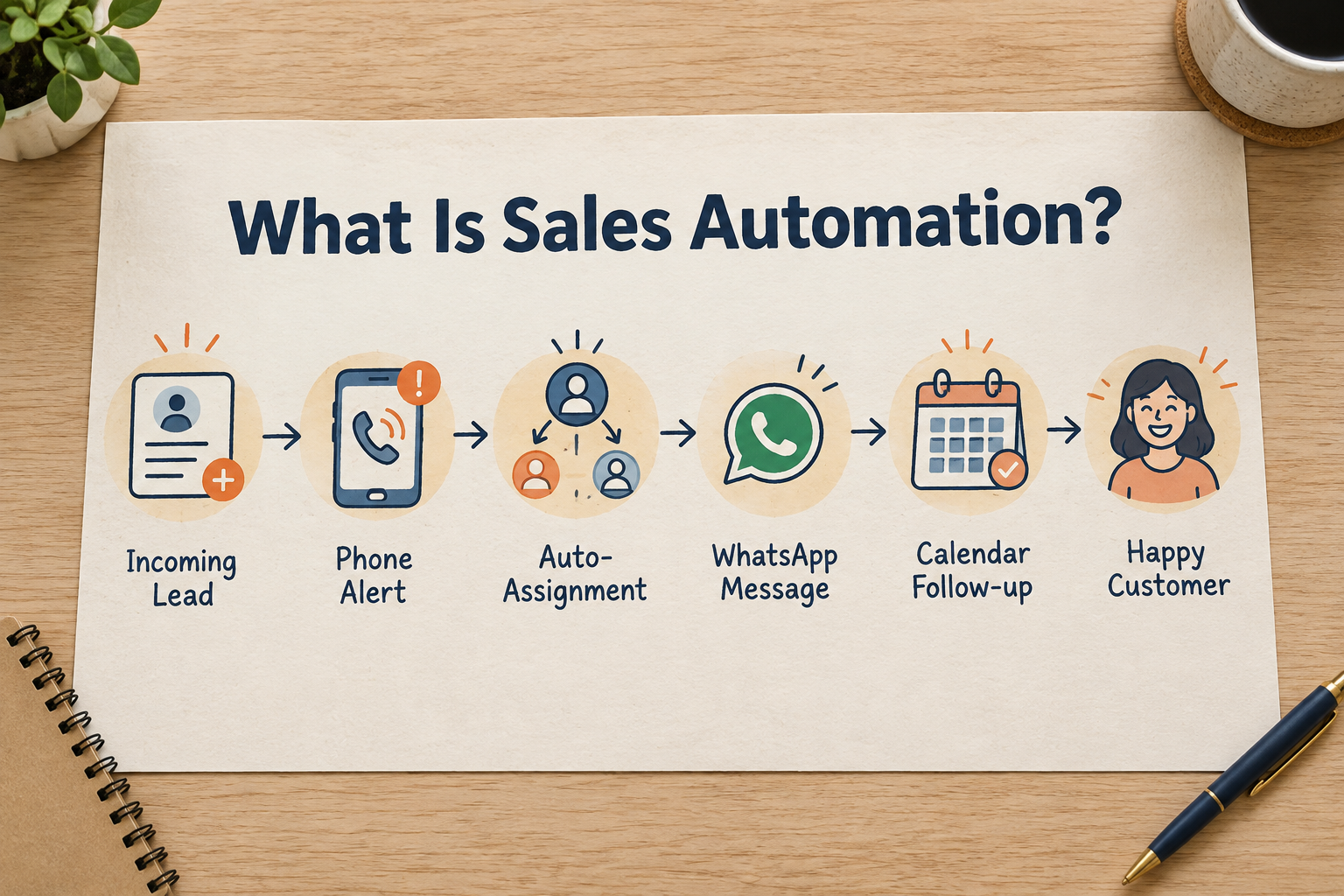
A new enquiry arrives at 9:40 p.m. from a Facebook ad. Somebody needs to see it, claim it, send a welcome message and schedule a call for tomorrow.
In most small businesses, all of that depends on a human remembering to do it. If the enquiry lands after hours, the welcome message goes out the next morning — or not at all.
Sales automation is the practice of letting software handle the routine, rule-based steps in your sales process — assigning leads, sending standard messages, creating reminders and updating statuses — so your team’s time goes to conversations instead of admin.This guide explains what sales automation covers, what it cannot do, and how to set it up sensibly in a small business.

What Sales Automation Actually Means
Automation runs on rules you define. A typical rule reads like a sentence:
WHEN a new lead arrives from Facebook IF its budget is above a set amount THEN assign it to a senior rep, send a WhatsApp welcome message and schedule a follow-up for tomorrow.
Three parts make up every automation:
- Trigger (WHEN): the event that starts the workflow — a lead is created, a lead is assigned, a status changes, a call is logged, a follow-up becomes due or is completed.
- Conditions (IF): filters that decide which leads the rule applies to — source, status, owner, tags, city, budget or any custom field.
- Actions (THEN): what the system does — assign the lead, change its status, send a WhatsApp message, create a task, add a note, schedule a follow-up, or enroll the lead in a follow-up sequence.
One rule can run several actions in order. No code is involved — you choose triggers, conditions and actions from menus.Automation is the engine behind several things you may already be aiming for: faster speed-to-lead, consistent follow-up and even lead distribution across a team.
Sales Automation vs. AI
These two get mixed up constantly, and the difference matters.
Automation follows rules you wrote. It does exactly the same thing every time the trigger fires. If the rule says “assign every Facebook lead to round-robin,” it will never route one differently, no matter how promising the lead looks. AI interprets information. It can summarise a lead’s history, draft a message in the lead’s language, or suggest the next action. Its output varies with context — which is why AI-generated customer messages should be reviewed by a person before sending.The practical split:
| Task | Better suited to |
|---|---|
| Assigning every new lead to the next free rep | Automation |
| Sending an approved welcome template instantly | Automation |
| Summarising what a prospect discussed last month | AI |
| Drafting a reply to a specific objection | AI |
| Reminding a rep to call tomorrow at 10 a.m. | Automation |
| Deciding what that call should cover | AI (as a suggestion) |
Many teams combine both: automation runs the schedule, AI helps prepare the content. For more on that side, read How AI Helps Sales Reps Follow Up With Leads.
What Sales Automation Can Do
The most valuable automations for a small business usually fall into five groups.
1. Speed-to-lead automation
A new lead arrives → the system instantly assigns it to a rep and sends a welcome message, even at 2 a.m. The first response stops depending on who happens to be watching their phone.
2. Assignment rules
Instead of a manager manually routing leads, rules can distribute them: round-robin for fairness, capacity-based so nobody is overloaded, per-source so Facebook leads go to one team and Google leads to another, or condition-based (“IF city = Pune THEN assign to Rahul”).
3. Missed-call recovery
A call is logged as missed → the system sends a “sorry we missed your call” message and creates a high-priority callback task. The prospect hears from you within minutes instead of being forgotten.
4. Follow-up and nurture sequences
A sequence is a series of scheduled messages over days — WhatsApp on day 0, email on day 2, a brochure on day 5 — that leads receive automatically. Good sequences stop when the lead replies or converts, so nobody gets chased after saying yes. This is the same idea behind a 7-day lead follow-up sequence.
5. Escalation and rescue
A follow-up becomes overdue → the lead is flagged, reassigned or escalated to a manager. Nothing silently rots in a forgotten list.
What Sales Automation Cannot Do
Being honest about the limits keeps your outreach from feeling robotic:
- It cannot think. A rule sends the message it was told to send, whether or not it fits the conversation. Anything customer-facing should be written for a specific situation, not a template fired blindly.
- It cannot build trust. Automation can make sure the follow-up happens; the conversation still has to be worth having.
- It can send the wrong thing if configured loosely. Start with narrow rules, test them, then widen.
- Automated WhatsApp messaging has channel requirements. Sending WhatsApp automatically generally requires a connected WhatsApp Business API with approved templates. Without that, automation can still create timeline reminders for a rep to send the message personally — which is often the better mode for small teams anyway. See What Is a WhatsApp CRM?.
How to Start With Sales Automation
- List the steps your process repeats for every lead. Assignment, welcome message, first follow-up, status update after contact.
- Pick the step that most often gets missed or delayed. For most businesses that is the first response or the follow-up after a quote.
- Write the rule in plain language first: WHEN this happens, IF these conditions match, THEN do these actions.
- Test with a sample lead before trusting it. Check that the right person was assigned, the right message went to the right record, and the follow-up landed on the right day.
- Add guardrails: a sending window so messages never fire at midnight, and clear stopping conditions so a lead who replies stops receiving generic chasers.
- Review monthly. Look at which automations fired, which messages got replies, and which rules need tightening.
How Ridhzo Handles Sales Automation
If you want to put the above into practice, Ridhzo’s automations are built around the WHEN → IF → THEN structure described earlier:
- Triggers include lead created, lead assigned, status or stage changed, tag added, call logged (including calls synced from Android phones), follow-up scheduled, completed or overdue, and task completed.
- Conditions match any lead field — source, status, owner, tags, city, budget, custom fields — with AND/OR combinations.
- Actions include assignment (specific, round-robin or capacity-aware), status changes, scheduled follow-ups, tasks, notes, WhatsApp template sends (Business API mode) and sequence enrollment.
- Ready-made templates cover common recipes such as speed-to-lead, missed-call recovery, high-value escalation and overdue follow-up rescue — so you can start from a proven rule instead of a blank screen.
- Sequences handle multi-step WhatsApp and email follow-ups with delays between steps, and stop automatically when a lead replies, is won, lost or marked unqualified. In personal WhatsApp mode, sequence steps become timeline reminders for a rep to send manually.
- Reliability details: any automation can be paused with a switch, steps are protected against loops, and if one action in a rule fails, the others still run.
Ridhzo also keeps automation and AI in their lanes: AI can draft messages and suggest next steps, but a rep approves anything customer-facing before it goes out.
Frequently Asked Questions
What is sales automation in simple terms?
Sales automation means software automatically performs routine sales tasks — assigning leads, sending standard messages, creating reminders and updating statuses — based on rules you define.
Is sales automation only for big companies?
No. Small teams often benefit most, because they have the least slack for manual admin. Start with one rule, such as instant assignment plus a welcome message for new leads.
Does sales automation replace salespeople?
No. It removes the admin around the conversation. Prospects still buy from people who understand their requirements and follow up personally.
What’s the difference between sales automation and a sequence?
A sequence is one type of automation: a scheduled series of messages over days. Automation more broadly also covers assignment, alerts, status updates and escalations.
Can automated messages feel personal?
When they use the right personalisation tokens and stopping conditions, and when anything beyond a simple welcome is drafted or reviewed by a rep, automated follow-up can feel consistent rather than robotic.
Does Ridhzo support sales automation?
Yes. Ridhzo’s automations use a WHEN → IF → THEN builder with triggers, conditions and ordered actions, plus drip sequences — no coding required.
Automate the Routine, Personalise the Conversation
Start small: pick the one step your team most often drops — usually the first response — and write one rule for it. Test it, watch what it does, and only then add the next.
If you use Ridhzo, try the speed-to-lead template with a sample lead: new lead → round-robin assignment → welcome message → follow-up in one hour. Then check the lead’s timeline to see exactly what ran.