
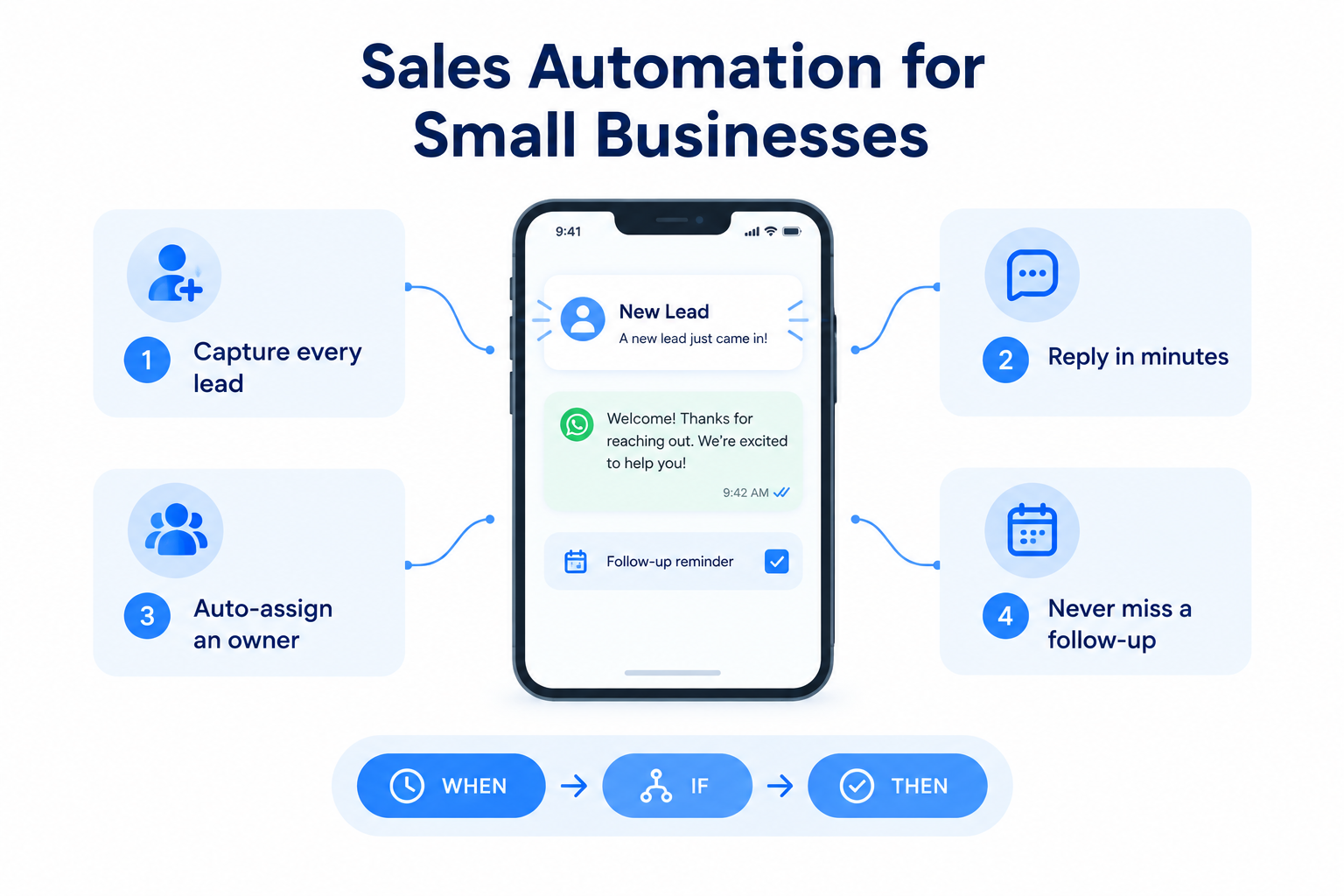
Your sales day is mostly repetition. A new enquiry arrives, someone assigns it, a welcome message goes out, a follow-up gets noted, a status changes. None of it is hard — but doing it manually, every time, for every lead, is exactly what slips when the day gets busy.
Sales automation is software doing those routine steps for you, so your team’s time goes to the conversations that actually close deals.
This guide explains what it means at small-business scale, which tasks to automate first, and how to keep automation from feeling robotic.
What Is Sales Automation?
Sales automation is software that handles rule-based steps in your sales process automatically: assigning leads, sending messages, creating reminders, updating statuses, enrolling leads in follow-up sequences.
The key word is rule-based. You define what should happen and when; the system executes it every time, without being reminded.
In practice, most automation follows a three-part structure — often written as WHEN → IF → THEN:
- WHEN — a trigger: something happens, like a new lead arriving or a follow-up becoming overdue.
- IF — a condition: only certain leads qualify, such as a specific source or budget range.
- THEN — one or more actions: assign an owner, send a WhatsApp, schedule a follow-up, change a status.
That’s all it is. No code, no developer — just your existing process, written down as a rule.
Why It Matters More for Small Teams
Automation is often pitched at large companies. But small businesses arguably need it more:
- Nobody’s full-time job is admin. In a team of three, the person answering leads is also quoting, meeting customers and delivering the work. Routine steps are the first casualty of a busy day.
- Speed is your edge. A large company can afford a 6-hour response time; a small team that responds in 5 minutes wins the enquiry. Automation is what makes that speed consistent at 9pm on a Friday.
- Mistakes are expensive at low volume. With 40 leads a month, every missed follow-up is a meaningful percentage of your pipeline.
What You Should Automate First
Start with the steps that are repeated, urgent, and easy to describe as a rule.
1. Speed-to-Lead (Instant First Response)
WHEN a new lead arrives → THEN assign it and send a welcome message.
This is the highest-value automation for most small businesses. The gap between an enquiry and your first response is often what decides whether a conversation happens at all. An automated WhatsApp welcome sent the moment a lead arrives means every prospect hears from you in under a minute — including the ones that arrive while your team is on calls.
2. Lead Assignment
WHEN a new lead arrives → THEN assign it round-robin, so leads spread across the team based on who has capacity.
Manual forwarding — screenshot, paste, “can you call this one?” — is how leads disappear. Automatic assignment means every lead has an owner from second one, and no rep is quietly overloaded while another sits idle.
3. Missed-Call Recovery
WHEN a missed call is logged → THEN send an instant “sorry we missed you” WhatsApp and create a high-priority callback task.
A missed call is an interested prospect you paid to attract. Left alone, they call a competitor. This one automation rescues enquiries you’d otherwise never know slipped away.
4. First Follow-Up Scheduling
WHEN a lead is created → THEN create a follow-up task due in 1 day.
Many leads aren’t ready to buy on first contact, and a single attempt isn’t a follow-up strategy. Automating the reminder means no inbound lead is ever simply forgotten.
5. Overdue Rescue
WHEN a follow-up passes its due time → THEN flag it and notify or reassign.
This is your safety net. It doesn’t do the follow-up for the rep — it makes sure nothing quietly rots.
6. Nurture Sequences
WHEN a lead hits a status like “Interested” → THEN enroll them in a multi-day sequence of scheduled touches.
For long decision cycles — interior design, insurance, education — a structured sequence keeps you in the conversation without anyone maintaining a mental list.

What Automation Cannot Do
Be clear about the boundary, or your follow-ups will start feeling like a bot wrote them:
- It can’t build trust. A template opens the door; a human still walks the prospect through it.
- It can’t judge context. A “just checking in!” drip message landing after the prospect asked a specific question makes you look careless.
- It can’t replace the conversation. Automation handles the steps around selling — assignment, alerts, reminders, first touches. The selling itself stays human.
One practical note: automated WhatsApp messaging typically requires a WhatsApp Business API connection with pre-approved message templates — different from clicking through to send a personal message yourself. Check what your tool supports before promising 24/7 automated replies.
A Practical Example
A two-person insurance agency runs Facebook Lead Ads. Before automation: leads land in email, get forwarded on WhatsApp, and whoever is free calls back — sometimes hours later, sometimes never.
They set up three rules:
- WHEN a lead arrives from Facebook → THEN assign it round-robin and send the WhatsApp welcome template.
- THEN schedule a follow-up task due the next morning.
- WHEN a follow-up becomes overdue → THEN add an alert note so it can’t be missed.
Nothing about their advice-giving changed — that’s still them on the phone. What changed is that every enquiry now gets an owner in seconds, a response in under a minute, and a scheduled next step. That’s sales automation for a small business: not fewer conversations, just no wasted ones.
How Ridhzo Handles This
Ridhzo’s automations use the WHEN → IF → THEN builder described above, with triggers like lead created, call logged, and follow-up overdue; conditions on any lead field including custom fields; and actions like assign, round-robin, send WhatsApp, schedule follow-up, change status and enroll in sequence.
Usefully for small teams, it ships with ready-made recipes rather than a blank screen: a speed-to-lead welcome, a 24-hour first follow-up, an overdue-follower nudge, and a referral request on won deals. Each automation can be paused or resumed with one toggle, and follow-up sequences can include stopping conditions so a prospect who replies doesn’t keep getting drip messages.
Getting Started: A 4-Step Approach
- List your repetitive steps. Write down what happens between “lead arrives” and “we’re talking to them.” Circle the steps that are identical every time.
- Automate the urgent ones first. Speed-to-lead and assignment before nurture sequences — the first hour matters more than day seven.
- Add the safety nets second. Missed-call recovery and overdue alerts protect everything else.
- Review weekly. Check what automated actions actually fired and what conversations followed. Automation tells you the process ran; your close rate tells you whether it’s working.
Start with one rule, watch it work for a week, then add the next. Small business sales automation isn’t about building a machine — it’s about making sure the boring steps never depend on someone remembering.