
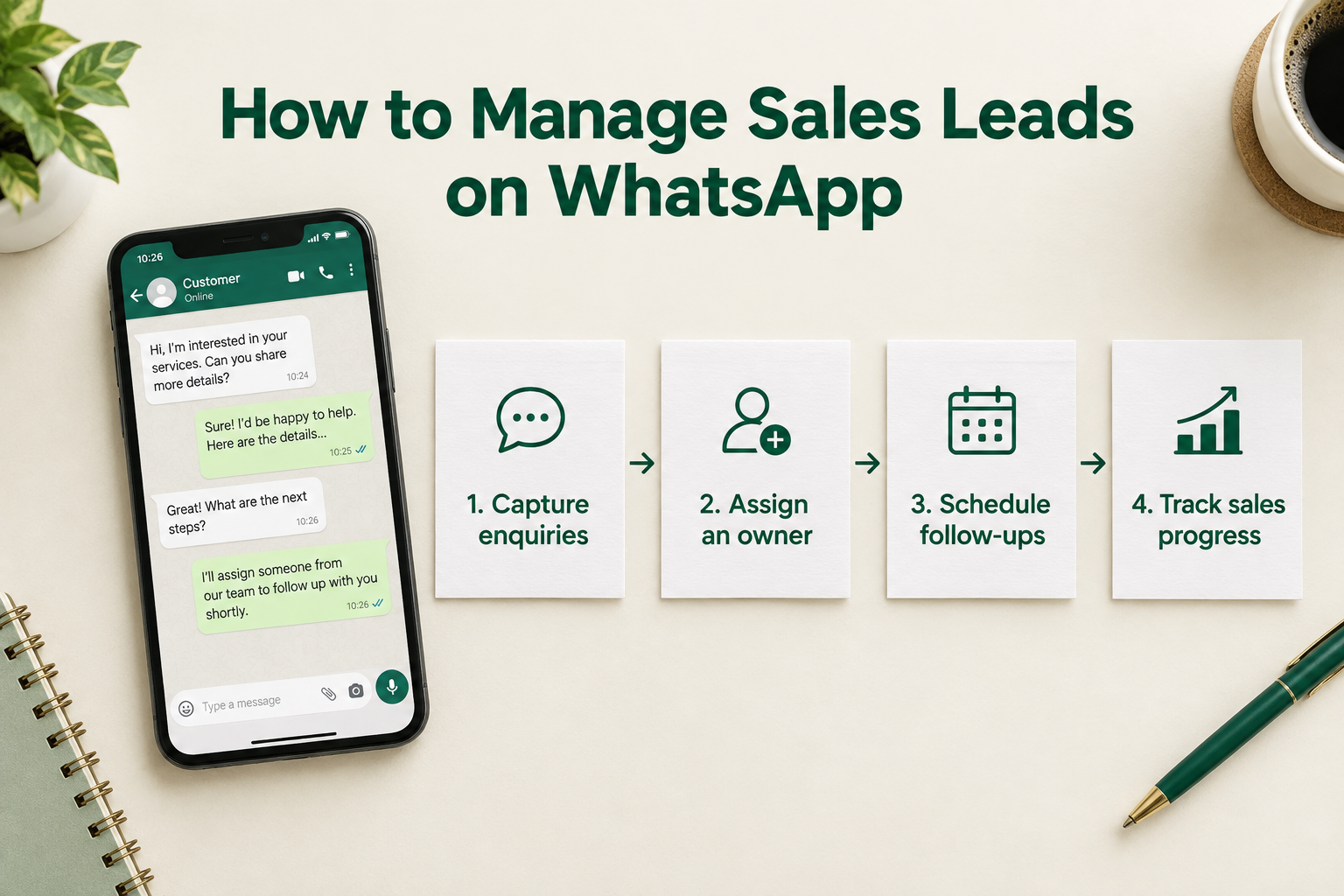
A potential customer asks for your prices on WhatsApp. You send the details, answer a few questions and plan to follow up later.
Then other messages arrive. The conversation moves down your chat list, and the follow-up gets forgotten.
For a small business, this is an easy pattern to fall into. WhatsApp makes it convenient to talk to prospects, but a conversation alone does not tell your team who owns the lead, how close they are to buying or what should happen next.
To manage sales leads on WhatsApp, give each enquiry a lead record, a responsible person, a clear sales stage and a dated next action. Here is how to put that process into practice.

1. Keep a Lead Record Alongside the Conversation
A chat contains what someone said. A useful lead record brings together the information your team needs to act.
For each genuine sales enquiry, record:
- Name and phone number.
- Where the enquiry came from.
- Product or service of interest.
- Relevant requirements, budget and buying timeline.
- Assigned salesperson.
- Current sales stage.
- Next action and its due date.
Collect details gradually as the conversation develops. You do not need to ask every question in the first reply.
For example, an interior design enquiry might become:
Priya — kitchen renovation. Found the business through Instagram. Wants work completed before moving in. Needs a consultation before receiving a quote. Neha owns the lead and will confirm a suitable consultation time tomorrow.
That short record helps another colleague understand the opportunity without reading a long conversation.
Keep the original source separate from the communication channel. If someone discovers your business through Google and then messages on WhatsApp, both details are useful.
2. Give Every Lead One Clear Owner
When several people handle enquiries, responsibility can become unclear. Two colleagues might reply to the same prospect, or each might assume someone else has already responded.
Assign one person to manage each active opportunity.
The owner should be responsible for responding, recording important details, arranging the next step and keeping the lead status accurate. Other colleagues can help without making ownership ambiguous.
For a solo business owner, the same principle applies: each enquiry still needs a place in your daily workload.
Agree on what happens when someone is unavailable. A handover should include the lead’s requirements, the last discussion and the next promised action.
3. Make the First Reply Relevant
A fast reply should help the prospect move forward. Read their enquiry before sending a message.
A useful first response usually does three things:
- Acknowledges what the person asked for.
- Answers what you can answer immediately.
- Asks one relevant question or offers a clear next step.
For an education institute, a reply might be:
Hi Aisha, thanks for asking about our weekend digital marketing course. I can share the course outline and fees. Are you looking for online classes or classroom sessions?
If the enquiry came through a form, explain that connection:
Hi Aisha, this is Meera from the admissions team. You requested details about our weekend course through our enquiry form. Would you prefer the course information here on WhatsApp?
Use WhatsApp when the person has requested or agreed to communication through that channel. Having a phone number alone should not be treated as permission for promotional messages.
An automatic acknowledgement can confirm receipt, but it should not be counted as a personal response that answers the enquiry. For more on this distinction, see what speed-to-lead means.
4. Ask Questions That Help You Recommend the Next Step
Qualification means understanding whether you can help and what the prospect needs next.
Keep the conversation natural. Ask about the details that affect your recommendation rather than sending a long questionnaire.
Depending on your business, those details could include:
- Real estate: Preferred location, property type and purchase timeline.
- Education: Course interest, learning goal and preferred schedule.
- Interior design: Property location, project scope and expected start date.
- B2B services: Business problem, decision process and required delivery date.
Record the answers in the lead record. This prevents colleagues from asking the same questions again and makes future follow-ups more relevant.
Avoid collecting sensitive information that you do not need to handle the enquiry.
5. Track Progress With Clear Sales Stages
A busy conversation is not necessarily a progressing sale.
Use stages that describe meaningful developments. A simple starting pipeline is:
New → Contacted → Qualified → Meeting or Quote → Decision Pending → Won or Lost
Define what each stage means for your business. For example:
- Contacted: Your team has made its first personal contact attempt.
- Qualified: You understand the requirement and there appears to be a suitable fit.
- Meeting or Quote: A consultation has been arranged or a relevant quote has been sent.
- Decision Pending: The prospect has the information needed and is considering the purchase.
Do not move someone to “Qualified” simply because they read a message. Update stages based on what you learn or agree.
For a fuller process, read how to track every lead from enquiry to sale.
6. Give Every Active Lead a Dated Next Action
“Follow up later” is difficult to manage. A specific task is much more useful.
Instead of leaving yourself a note that says “Interested,” record:
Send the revised kitchen estimate on Thursday morning, then confirm whether Priya wants to book a consultation.
A useful next action includes what needs to happen, who will do it and when it is due.
Where possible, agree on the timing with the prospect:
Would it be helpful if I checked back with you on Thursday after you have reviewed the estimate?
This gives the follow-up a reason and sets a clear expectation.
Make Follow-Ups Useful
Repeatedly sending “Any update?” gives the prospect little reason to respond.
Refer to their requirement or the previous discussion:
Hi Priya, you mentioned that storage was your main concern. I have included two layout options in the revised estimate. Would you like to discuss which one would suit your kitchen?
If the prospect has not replied, keep the next message brief:
Hi Priya, checking whether the estimate reached you. If your renovation plans have changed, let me know and I can update my notes.
There is no universal follow-up schedule. Match the timing to the buying decision, the prospect’s preferences and any date you agreed. Respect requests to stop messaging.
7. Use Templates Without Losing the Context
Templates can save time when your team repeatedly handles similar enquiries.
Start with templates for first responses, consultation confirmations, quote follow-ups and unanswered enquiries.
Before sending, check the name, requirement, previous conversation and proposed next step. A template should never promise a price, availability or deadline that you have not confirmed.
For example:
Hi Arjun, thanks for speaking with me about your showroom enquiry. I’ll send the details of the model we discussed this afternoon. Would Saturday morning work for your visit?
The message is short, specific and connected to an actual conversation.
8. Choose the Right WhatsApp and CRM Setup
A small number of enquiries may be manageable through manual conversations and a simple tracking routine. As more people handle leads, a shared CRM can make ownership, reminders and sales progress easier to manage.
Before choosing a tool, check what its WhatsApp integration actually does.
Click-to-Chat
Click-to-chat opens WhatsApp from a lead record, often with a prepared message.
This can suit a small team that wants organised lead records while continuing to send messages manually. Do not assume it brings every incoming reply or the full conversation back into the CRM.
WhatsApp Business API
An API-connected setup can support more integrated messaging and automation, depending on the CRM and provider.
Check whether it supports incoming replies, delivery information, approved templates and the automated workflows your team needs.
For an explanation of these approaches, read what a WhatsApp CRM is.
How to Manage WhatsApp Leads With Ridhzo
Ridhzo supports two WhatsApp approaches: personal WhatsApp mode for manual messaging and WhatsApp Business API mode for connected messaging and automation.
Set Up the Lead Workflow
Start by bringing enquiries into Ridhzo through the relevant supported source, such as connected lead forms, website forms or manual entry. Assign an owner and use a pipeline to track each opportunity.
An ad-form connection and a WhatsApp conversation are different parts of the journey. Test your actual enquiry route rather than assuming every new WhatsApp chat automatically creates a lead.
Choose Your Messaging Mode
In personal WhatsApp mode, tapping WhatsApp on a lead opens your own WhatsApp or WhatsApp Web with a personalised message prepared. You send the message manually. This is useful when you want to manage leads in Ridhzo while continuing conversations in WhatsApp.
In WhatsApp Business API mode, Ridhzo supports sending messages inside the CRM, viewing delivery and read receipts, and capturing incoming replies on the lead timeline. It also supports approved templates for messages outside WhatsApp’s 24-hour messaging window.
Add Automation After Defining the Process
Ridhzo’s automations can assign leads and schedule follow-ups. Automatic WhatsApp sending requires Business API mode.
A practical starting workflow is:
- A new enquiry enters Ridhzo.
- The lead is assigned to a salesperson.
- If the contact has agreed to WhatsApp communication, an appropriate welcome message is sent through the configured API workflow.
- The salesperson reviews the requirement and responds personally.
- The team records progress and schedules the next action.
Treat the welcome message as an acknowledgement. The owner still needs to handle the enquiry.
Review Progress and Outcomes
Ridhzo provides a pipeline board, dashboards and insights for reviewing sales progress, including outcomes by source and salesperson.
Use those views alongside accurate lead records to identify opportunities that need attention. Review whether conversations are leading to consultations, quotes and sales rather than judging performance only by message activity.
Example: An Interior Design Enquiry
Imagine a homeowner submits a website form asking about a kitchen renovation and agrees to receive information on WhatsApp.
The enquiry enters Ridhzo and is assigned to a designer. The designer reviews the form answers before opening the conversation.
After discussing the scope, the designer records the requirements, updates the lead’s stage and schedules a consultation follow-up. If the team uses Business API mode, incoming WhatsApp replies can appear on the lead timeline.
After the consultation, the designer sends the estimate and agrees on a date to reconnect.
The intended outcome is straightforward: the team can see who owns the enquiry, what has been discussed and which action is due next. If the homeowner books the project or decides against it, the lead record reflects that outcome.
Common WhatsApp Lead Management Mistakes
Using unread messages as a task list. A conversation may be read while the promised work is still unfinished. Record a separate next action.
Assuming every integration synchronises chats. Confirm how outgoing messages, incoming replies and previous conversations are handled.
Sending information without arranging the next step. A brochure or quote needs a relevant follow-up plan.
Treating read receipts as buying intent. Reading a message does not confirm interest, budget or readiness to buy.
Continuing automation after circumstances change. Before using sequences, check how replies, purchases and opt-out requests affect future messages.
Leaving old opportunities open indefinitely. Record whether the person bought, declined or asked to reconnect at a later date.
Frequently Asked Questions
Can I manage sales leads using only WhatsApp?
For a small number of enquiries, you can manage conversations manually if you maintain a reliable process for ownership, lead status and follow-ups. A shared CRM becomes useful when those details are difficult to track across chats or team members.
Does connecting WhatsApp to a CRM automatically sync every conversation?
No. Click-to-chat and Business API integrations work differently. Check exactly which messages and replies are recorded before relying on the integration.
How often should I follow up with a WhatsApp lead?
Use the timing agreed with the prospect and consider the nature of the purchase. Each follow-up should have a clear purpose. Avoid repeated unwanted messages and respect opt-out requests.
Can Ridhzo send WhatsApp follow-ups automatically?
Ridhzo supports automatic WhatsApp messages through Business API mode, including automations and sequences. Personal WhatsApp mode opens a prepared message for manual sending.
What should I measure?
Review first personal response time, overdue follow-ups, movement between sales stages and won or lost outcomes. Keep automated acknowledgements separate from personal responses.
Start With Your Active Enquiries
Review your current WhatsApp opportunities and give each one an owner, a stage and a dated next action.
If your team needs a shared place to manage that work, use Ridhzo to organise lead records and follow-ups, then choose the WhatsApp mode that fits how you communicate. Start with one enquiry route and test the complete journey before expanding.