
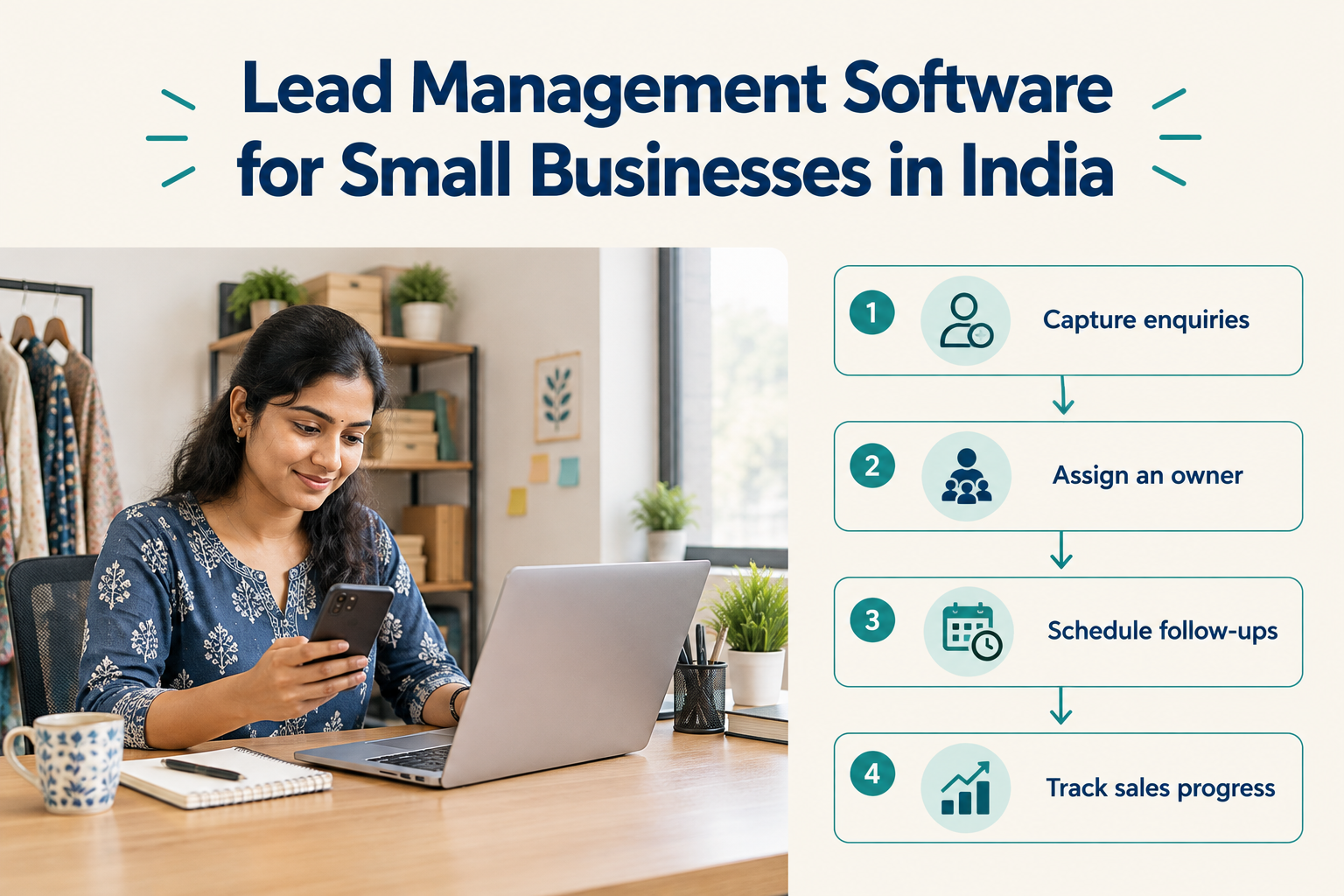
A prospect enquires through a Facebook ad. Another requests a quote on your website. Someone calls while your salesperson is visiting a customer.
Each enquiry needs a response, an owner and a next step. When those details sit across spreadsheets, phones and personal chats, it becomes difficult to see what needs attention.
Lead management software helps bring that work into one place. For a small business, its value comes from helping the team respond, remember conversations and follow up consistently.
This guide explains which features to look for, how to compare costs in India and how to test whether a tool fits your daily sales process.

What Is Lead Management Software?
Lead management software helps businesses capture enquiries, organise prospect information, assign responsibility, track sales progress and schedule follow-ups.
A useful lead record should answer five questions:
- Who enquired, and where did they come from?
- What do they need?
- Who is responsible for responding?
- What has happened so far?
- What should happen next, and when?
For example, an interior design business might record a prospect’s location, project requirements, approximate budget, consultation date and proposal status.
Before calling again, the salesperson can review that information instead of searching through messages.
The wider lead management process includes how your team qualifies enquiries, handles conversations and decides when to follow up. Software helps the team carry out that process.
When Should a Small Business Move Beyond Spreadsheets?
A spreadsheet can work when one person handles a small number of enquiries and updates it reliably.
Consider dedicated software when coordination starts getting difficult.
Perhaps two salespeople contact the same prospect, while another enquiry receives no response. Follow-ups may depend on memory. Managers may need to ask each team member for updates before understanding the pipeline.
These are useful signs that your business needs clearer ownership and shared records.
Before moving away from Excel or Google Sheets, identify the main problem you want to solve. Missed follow-ups, slow responses and unreliable lead capture require different checks during a software trial.
Features Small Businesses Should Look For
1. Lead Capture from Your Actual Enquiry Sources
Start by listing where your leads come from: advertising forms, your website, phone calls, referrals or messages.
Then check how the software handles each source.
Does it capture the enquiry automatically? Does someone need to import a file? Which fields transfer, and what setup is required?
Be specific. Support for Facebook Lead Ads does not automatically mean support for every Facebook comment or Messenger conversation. Similarly, connecting an advertising platform does not mean every visitor becomes a lead.
Test the exact enquiry route your business uses.
2. Clear Ownership and New-Lead Alerts
Every active lead should have a responsible person.
Look for a straightforward way to assign leads, notify the owner and cover absences. If several people handle enquiries, check whether assignment can follow suitable rules.
For example, a property business might route enquiries by location, while a small agency might distribute them across available salespeople.
An alert is useful only when someone knows they are expected to act.
3. A Mobile Experience Your Team Can Use Daily
Evaluate the software on the phones your team actually uses.
Can a salesperson find a lead, review notes, make contact, update the stage and schedule a follow-up without returning to a laptop?
For field teams, this matters after site visits, customer meetings and calls between appointments.
Check platform differences carefully. A product may offer mobile access on both Android and iOS while supporting automatic device call logging on Android only.
4. WhatsApp Support That Matches Your Workflow
“WhatsApp integration” can describe different capabilities.
One option opens WhatsApp with a prepared message for a salesperson to review and send. Another uses the official WhatsApp Business API for supported automated messaging.
Ask what is included and what requires additional configuration. For automation, check account requirements, template approval, consent handling and any separate messaging charges.
Choose based on whether your team needs convenient personal replies, automated communication or both.
5. Dated Follow-Ups and Conversation Records
A note saying “interested, call later” leaves too much unclear.
A useful next action is specific:
Call Thursday at 11 a.m. to discuss the revised quotation.
Look for follow-ups with an owner, a due date and a clear purpose. The team should also be able to identify overdue work easily.
Keep notes focused on what the next conversation needs: requirements, questions, objections, commitments and agreed timing.
6. A Pipeline That Reflects How You Sell
Your pipeline should describe meaningful progress.
A service business could start with:
New → Contacted → Qualified → Meeting or Quote → Decision Pending → Won or Lost
Define what each stage means. “Contacted” might mean a two-way conversation took place, rather than an unanswered call.
Avoid creating so many stages that updating the record becomes a chore. Add detail only when it helps someone decide what to do next.
7. Reporting That Leads to Action
Choose reports around questions you need to answer:
- How quickly are new enquiries receiving a response?
- Which follow-ups are overdue?
- Where are prospects getting stuck?
- Which sources produce customers?
- Which team members need help with their workload?
Enquiry volume alone cannot tell you whether a source is valuable. Review progress and outcomes alongside volume.
8. Automation for Repeatable Tasks
Once your process is clear, automation can handle routine steps such as assigning leads, creating reminders or sending an appropriate acknowledgement.
For example:
When a new enquiry arrives → assign an owner → notify them → schedule a follow-up task.
Start with one workflow and check what happens in exceptions. A lead who replies, declines or asks to stop should receive appropriate handling.
This guide to sales automation for small businesses explains how triggers, conditions and actions work.
How to Compare Lead Management Software Costs in India
Compare the total cost for your team and expected usage.
A subscription may charge per user or offer a flat plan with a set number of seats. Check the billing model before comparing headline prices.
Also review:
- Lead and connected-source limits.
- Automation and sequence limits.
- AI usage allowances.
- GST.
- Separate messaging or third-party service costs.
- Setup or migration charges, if applicable.
- Monthly versus annual billing commitments.
A plan that suits one person may become restrictive when more salespeople or lead sources are added.
For a fuller budgeting checklist, see how much a CRM costs in India.
How Ridhzo Fits a Small Business Lead Workflow
Ridhzo is a mobile-first lead CRM for solo professionals and small-to-medium sales teams.
Its documented capabilities include lead capture from supported sources such as Facebook and Instagram Lead Ads, Google Ads, website forms and webhooks. It also supports lead assignment, push alerts, pipelines, follow-up reminders and dashboards.
Here is how those capabilities fit a practical workflow.
Capture and Assign the Enquiry
Connect a supported source, submit a test enquiry and check that the required information reaches the lead record.
Configure ownership so someone is responsible for responding. Ridhzo supports automatic assignment options, including round-robin and rule-based assignment.
Respond from a Phone
The assigned salesperson can use mobile access and one-tap communication options to act on the enquiry.
Ridhzo offers a native Android app and a browser-installable app for Android and iOS. The interface is available in English, Hindi and Telugu.
Its native Android app supports automatic syncing of incoming, outgoing and missed calls, including timestamps and talk duration. Do not assume that the same device call-sync functionality is available on iOS.
Call activity helps show what happened, but the salesperson should still record important requirements and commitments.
Schedule the Next Step
After the conversation, update the pipeline stage and create a dated follow-up.
For an interior design enquiry, that might mean scheduling a consultation. For an insurance enquiry, it could be a callback to discuss the prospect’s questions.
Ridhzo provides follow-ups, reminders and meeting-related capabilities to help keep those actions visible.
Add Automation Where It Helps
Ridhzo uses WHEN → IF → THEN workflows for repeatable tasks. It also supports follow-up sequences.
Start with a simple assignment or reminder workflow before adding more complex communication.
Ridhzo supports one-tap personal WhatsApp and official WhatsApp Business API functionality. Automated WhatsApp workflows require the appropriate API configuration; opening a personal WhatsApp conversation is a different workflow.
Review Activity and Outcomes
Ridhzo’s documented dashboards include response time, call answer rates, win rate and revenue by source.
Use those reports to identify questions worth investigating. If one source produces many enquiries but few sales, review the targeting, response process and qualification criteria before deciding what to change.
Ridhzo is relevant when your main need is to capture enquiries, respond from a phone and manage follow-ups. If you also require accounting, inventory or specialist operational software, assess those requirements separately.
Ridhzo Pricing for Small Businesses
Ridhzo offers flat plan pricing with the following documented limits:
Paid prices exclude 18% GST.
Core features available on every plan include the lead inbox, pipeline, follow-ups, reminders, one-tap WhatsApp, templates, dashboards, mobile access, Android device call sync and push notifications.
Other allowances differ. Free includes two automations, one sequence and 15 monthly AI credits. Starter includes 15 automations, 10 sequences and 300 monthly AI credits. Unlimited includes unlimited automations and sequences, with 2,000 monthly AI credits.
AI auto-tagging and one-click suggestions are listed for paid plans.
New workspaces start with a 14-day Starter trial without requiring a card. They move to Free when the trial ends unless a subscription is purchased.
Test One Complete Enquiry Journey Before Choosing
Use a realistic enquiry to evaluate the software with the person who will handle it daily.
- Submit an enquiry through a source your business relies on.
- Check the record for contact details, requirements and source information.
- Confirm ownership and whether the responsible person receives an alert.
- Open the lead on a phone and review the information.
- Make contact and record the discussion.
- Schedule a follow-up with a date and purpose.
- Update the stage to reflect what happened.
- Review the manager’s view to confirm that progress and outstanding work are visible.
Also test an exception, such as an unanswered call or an unavailable salesperson.
This reveals more about day-to-day suitability than a long feature demonstration.
Frequently Asked Questions
What is the best lead management software for small businesses in India?
The right choice depends on your enquiry sources, team size, devices and sales process. Prioritise reliable capture, clear ownership, easy follow-ups and manageable total cost. Test those requirements with a real enquiry journey.
Is lead management software the same as CRM?
Lead management focuses on handling potential customers from enquiry to outcome. CRM covers the broader management of prospect and customer relationships. Many CRM products include lead management capabilities.
Can a small business use free lead management software?
Yes, when the plan limits fit its needs. Ridhzo’s Free plan supports one user, 300 leads and one lead source, alongside core lead management features.
Does Ridhzo automatically track sales calls?
Its native Android app supports automatic syncing of incoming, outgoing and missed calls, including timestamps and talk duration. This device call-sync capability should not be assumed to work on iOS.
Can lead management software replace WhatsApp?
Your team can continue using WhatsApp for conversations while using lead management software to organise ownership, sales stages and follow-ups. The connection between the two depends on the product and integration setup.
Should I stop using Excel immediately?
If one person manages a small number of enquiries reliably, you may not need to change yet. Consider switching when multiple sources, shared responsibilities and follow-ups become difficult to maintain. This Ridhzo vs Excel comparison explains the workflow differences.
Give Every Enquiry an Owner and a Next Step
Begin with the work your team needs to do consistently: capture the enquiry, respond with context, record progress and schedule the next action.
If your business needs a shared mobile workflow, explore Ridhzo and test one supported lead source. Follow an enquiry from arrival to outcome before expanding the setup.