
A lead asks about your service, receives a quotation and says they need time to discuss it with a colleague.
Three days later, your salesperson opens the record to follow up. What did the lead need? Which concern was unresolved? Did they ask for a call or an email?
Finding those answers can take longer than writing the message.
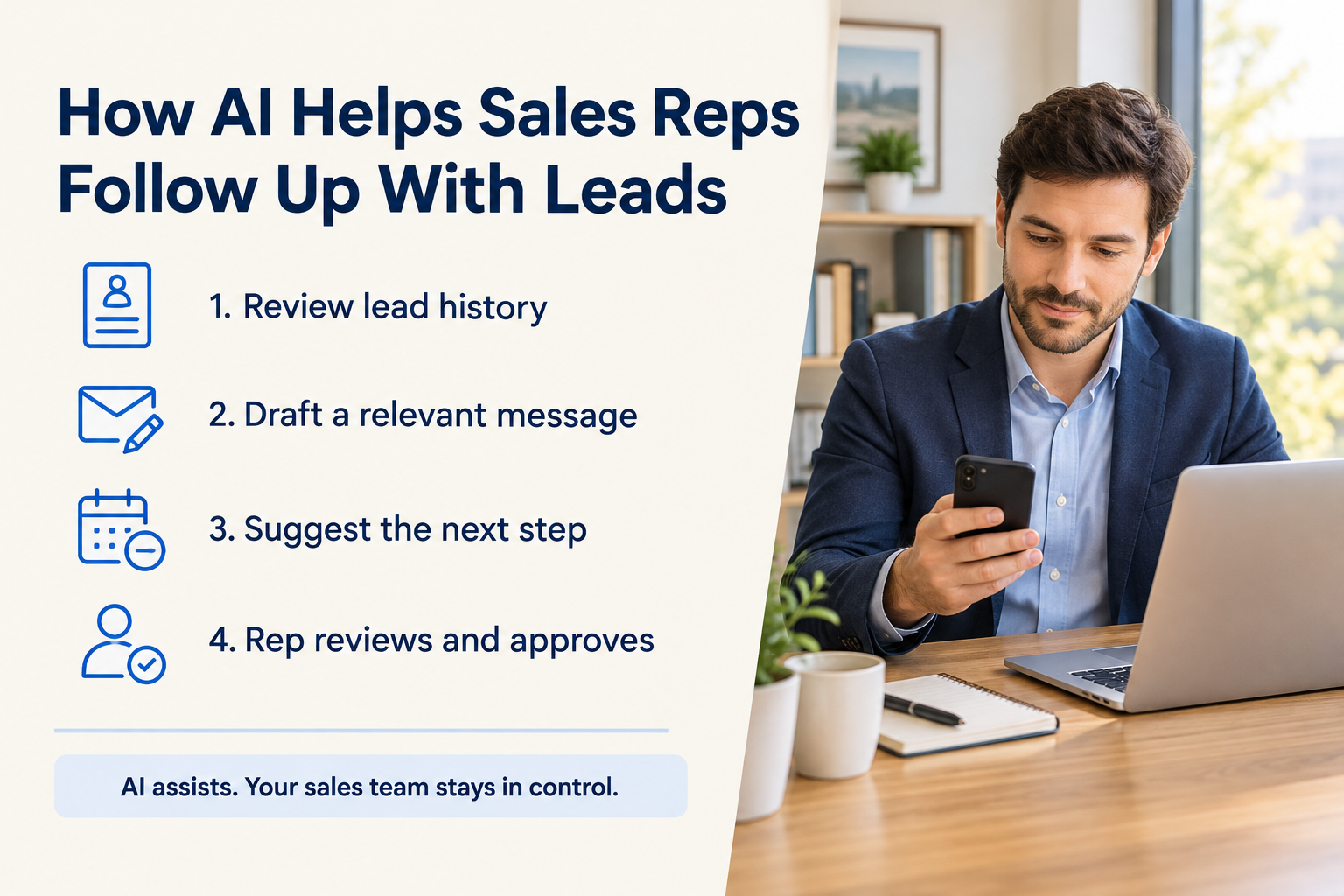
AI can help sales reps review previous interactions, prepare relevant follow-ups and decide what to do next. Its value comes from helping the salesperson continue a conversation with useful context.
This guide explains how AI supports lead follow-up, where human judgement matters and how to build a practical workflow.
Table of Contents
ToggleWhat Is AI-Assisted Lead Follow-Up?
AI-assisted lead follow-up means using artificial intelligence to support the work involved in contacting a prospect again.
Depending on the tool, AI may help a salesperson:
- Summarise previous conversations.
- Prepare talking points before a call.
- Draft a message based on the lead’s requirements.
- Suggest a useful next action.
- Identify details that should be added to the lead record.
- Draft a multi-step follow-up sequence.
The salesperson still needs to check the information, respect the prospect’s preferences and approve customer-facing messages.
AI also differs from basic automation. A reminder can tell you that a follow-up is due. AI can help you understand the conversation and prepare what to say.
For the wider process, read What Is Lead Management?.

1. AI Helps Reps Remember the Conversation
A sales rep may handle enquiries from several channels and speak with many prospects during the day.
Remembering every requirement, objection and commitment is difficult. Reading the full history before each follow-up can also be time-consuming.
An AI summary can bring together the important details:
- What the prospect is looking for.
- What has already been discussed.
- Which questions remain unanswered.
- The current sales stage.
- The latest agreed next step.
For example, an education enquiry might include a course preference, a question about weekend classes and a request to receive fee details by email.
A useful summary helps the rep continue from that point instead of asking the same questions again.
Check the latest interaction before acting. A summary may miss a detail or rely on information that is no longer current.
2. AI Makes Follow-Up Messages More Relevant
“Any update?” gives the prospect little reason to reply.
A useful follow-up refers to their needs and offers a manageable next step. AI can help draft that message when the lead record contains enough context.
Suppose a prospect is considering a kitchen renovation and previously asked about material choices.
An illustrative follow-up could say:
Hi Meera, you mentioned that you wanted to compare kitchen material options before deciding on a consultation. Would it help if I shared a short comparison based on the priorities we discussed?
This message acknowledges the previous conversation and asks one clear question.
Before sending it, the rep should confirm that the comparison is available and that the message matches the prospect’s latest request.
What to check in an AI draft
Review the name, requirements, product details, prices, dates and proposed next step. Remove unsupported claims or promises.
Also check the tone. A prospect who asked for time to decide should not receive a message that creates artificial urgency.
For channel-specific guidance, read What Is a WhatsApp CRM?.
3. AI Helps Reps Prepare for Follow-Up Calls
A follow-up call is more useful when the salesperson knows what they need to resolve.
AI can help prepare a brief covering the lead’s requirements, previous concerns and suggested talking points.
For a real estate enquiry, that might mean reviewing the preferred location, stated budget and questions raised during the previous discussion.
The rep can then open with a relevant question:
Last time, you wanted to compare the location and payment options before arranging a visit. Which would you like us to go through first?
This gives the conversation a clear starting point.
The rep should use the brief as preparation rather than reading a script word for word. The prospect may have new information that changes the direction of the call.
4. AI Can Suggest a Better Next Action
Following up does not always mean making another call.
The prospect may need a brochure, an answer to a question, a revised proposal or an appointment. AI can review the recorded context and suggest a possible next action.
For example:
| Recorded situation | Possible next action |
|---|---|
| The prospect asked about a service package | Share the relevant package information |
| A question remains unanswered | Answer it before asking for a decision |
| The prospect requested a callback | Schedule the callback at the agreed time |
| The prospect wants a demonstration | Offer suitable appointment options |
| The prospect asked to stop receiving messages | Stop the follow-up |
These are workflow examples, not actions that should be taken automatically.
A recommendation must fit the most recent conversation. If the customer requested email, a suggestion to call should be reconsidered.
Read How to Track Every Lead From Enquiry to Sale for the ownership, history and next-action basics that make this possible.
5. AI Helps Keep Lead Records Useful
The next follow-up depends on what was recorded after the last interaction.
Notes such as “Interested” or “Call later” leave important questions unanswered. A more useful note explains the requirement, unresolved concern and agreed next step.
AI can help identify information in recorded conversations or notes and suggest updates to the lead record.
For example, a rep might review suggested values for the prospect’s preferred location, budget or buying timeline.
The rep should confirm each update before saving it. An estimated budget should not become a confirmed budget simply because AI extracted a number.
Better records also help when another salesperson takes over the enquiry.
6. AI Can Help Plan a Follow-Up Sequence
Some leads need several contact attempts before a meaningful conversation happens.
AI can help draft a sequence with different purposes for each step: an initial response, a useful resource, a relevant question and a closing check-in.
The goal is to avoid sending the same reminder repeatedly.
Before using a sequence, review:
- Timing: Does it respect the lead’s request and your business hours?
- Channel: Is it appropriate for this enquiry?
- Content: Does each message offer something useful?
- Stopping rules: What happens when the prospect replies, declines or asks to stop?
Once someone replies, review the conversation before continuing scheduled messages. Their response may make the remaining sequence irrelevant.
See How to Build a 7-Day Lead Follow-Up Sequence for message examples and sensible stopping rules.
A Practical AI-Assisted Follow-Up Workflow
Step 1: Open the Lead Record
Check the owner, current stage, latest interaction and scheduled next action.
Do this before generating a message. AI needs accurate context to produce a useful draft.
Step 2: Review a Summary or Call Brief
Use AI to bring together the key requirements and previous discussion.
Confirm the latest commitment against the original record.
Step 3: Choose One Purpose
Decide what the follow-up should accomplish.
You might answer a question, confirm an appointment, share relevant information or ask whether the prospect wants to continue.
A message with one clear purpose is easier to respond to.
Step 4: Generate and Edit the Draft
Ask AI for a short message based on the recorded conversation.
A practical instruction could be:
Draft a brief follow-up email using this lead’s recorded requirements and latest conversation. Address the outstanding question and include one clear next step. Do not add unconfirmed prices, dates or offers.
Check the output and edit anything that sounds unnatural or inaccurate.
Step 5: Send Through the Appropriate Channel
Use the channel the prospect expects. Avoid contacting them on several channels simply because the tools make it easy.
Step 6: Record the Outcome
After the interaction, save the response, update the stage if appropriate and schedule the next agreed action.
If the prospect declines or asks to stop, update the record and stop further follow-ups.
How Ridhzo Supports AI-Assisted Follow-Up
Ridhzo’s documented AI features support preparation, message drafting, record updates and next-step guidance.
Its AI uses business profile information alongside lead fields, form answers, status history and recorded activities. Keeping that information accurate gives the suggestions useful context.
Lead Summaries and Pre-Call Briefs
Ridhzo can generate a summary of the lead’s requirements, conversation history and current status.
Its Pre-Call Brief brings together details such as stated budget and previous objections, along with suggested opening lines and talking points.
These features help reps prepare before contacting a lead.
WhatsApp and Email Drafts
Reps can use Draft with AI to prepare a WhatsApp or email message based on the lead’s context.
Ridhzo also supports tone recommendations and language selection.
Ridhzo’s AI does not send customer messages without human approval. The rep remains responsible for checking and approving the draft.
Next Steps and Record Updates
Ridhzo offers next-step recommendations, suggested field values and suggested status transitions.
Its mobile app also lets reps review AI recommendations and apply supported field or status updates from their phone.
One-click AI suggestions are documented for paid plans.
AI Assistant and Sequence Generation
Ridhzo’s AI Assistant can help read lead details, set follow-up reminders, change statuses and draft messages for approval.
The AI Sequence Generator can draft a multi-step WhatsApp or email follow-up sequence from a described goal.
These drafts still need a review of their content, timing and stopping conditions before use. AI usage is subject to the plan’s monthly credit allowance.
Example: Following Up on a Solar Enquiry
Consider a prospect who asks about installing solar panels for a commercial property.
The salesperson records the property details and notes that the prospect wants to understand the assessment process before discussing a quotation.
Before following up, the rep reviews an AI-generated summary. They then request a draft that answers the outstanding question and offers an assessment discussion.
The rep checks the actual process, edits the message and approves it.
When the prospect replies with a suitable time, the rep schedules the next step and updates the lead record.
The intended outcome is a relevant follow-up with less preparation work. It does not guarantee a sale; the customer’s requirements, the offer and the team’s execution still matter.
Common Mistakes to Avoid
Sending Drafts Without Checking Them
A message can sound convincing while containing an incorrect detail. Verify every commercial claim and commitment.
Generating Messages From Incomplete Records
If the latest conversation is missing, AI may repeat a question or suggest an action that has already happened.
Treating Every Lead the Same
A new enquiry, a prospect reviewing a proposal and someone requesting a callback need different follow-ups.
Continuing After a Reply or Opt-Out
A sequence should not override an active conversation or a request to stop.
Measuring Only Message Volume
More messages do not necessarily mean better follow-up.
Review meaningful replies, agreed next steps, overdue follow-ups and the amount of editing AI drafts require. Avoid attributing every change in sales results to AI.
Frequently Asked Questions
Can AI write lead follow-up messages?
Yes. AI can draft messages using recorded requirements and conversation history. A salesperson should review the draft for accuracy, relevance and tone before sending.
Can AI decide when to follow up?
Some tools suggest timing or next actions using available context. An agreed callback time or the prospect’s stated preference should take priority over a recommendation.
Does AI replace follow-up reminders?
No. Reminders tell the team when an action is due. AI helps with preparation and content. A reliable process can use both.
Can AI follow up with leads automatically?
Some systems combine AI-generated content with automated workflows. Check the tool’s approval controls and sending capabilities rather than assuming that drafting and automatic sending are the same feature.
In Ridhzo, AI-generated customer messages require human approval.
What information does AI need for a useful follow-up?
Useful context includes the lead’s requirements, previous conversations, unresolved questions, current stage, contact preference and agreed next action.
Does Ridhzo offer AI for sales follow-ups?
Yes. Documented features include lead summaries, pre-call briefs, WhatsApp and email drafts, next-step recommendations, sequence generation and an AI Assistant. Feature access and usage allowances depend on the plan.
Make Your Next Follow-Up More Relevant
Start with one active lead. Review the history, choose one useful purpose and use AI to prepare a draft.
If you use Ridhzo, try a lead summary or Draft with AI, check it against the record and approve only what you can confirm. After the conversation, save the outcome and schedule the next agreed action.