
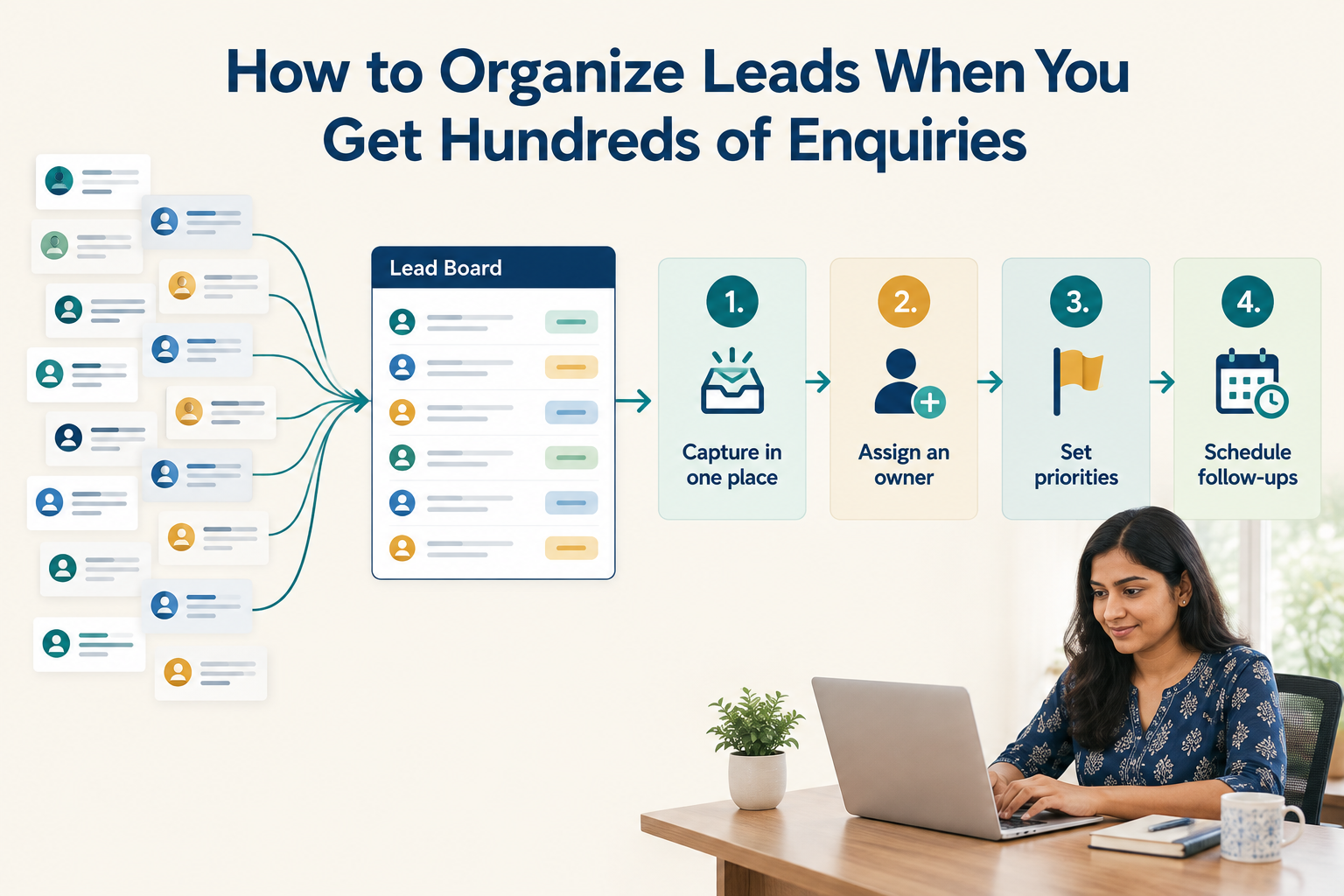
When your business receives ten enquiries a week, you may remember every conversation. When hundreds arrive, remembering who needs a callback becomes much harder.
New enquiries compete with yesterday’s unanswered calls. Quotes go out without a follow-up date. Two salespeople contact the same prospect while another lead waits without an owner.
To organize hundreds of leads, keep enquiries in one shared system, assign responsibility, separate leads by stage and urgency, and give every active opportunity a dated next action.
The goal is to help each salesperson answer one question: Who needs my attention next, and what should I do?
1. Bring Every Enquiry Into One Shared System
Start by listing where your enquiries arrive. This might include advertising forms, your website, WhatsApp, phone calls, referrals and events.
Each source needs a clear route into your lead records. Where a supported integration exists, connect it. Where someone must enter details manually, make that responsibility explicit.
Avoid maintaining a separate working list for every channel. A salesperson should not need to check multiple spreadsheets and inboxes to understand their workload.
Capture a small set of useful details:
Keep the original source separate from the communication channel. A prospect who discovers you through an advertisement may continue the conversation on WhatsApp.
This shared record is the foundation of lead management.
2. Check for Duplicates Before Assigning Work
One person can submit a form, call your business and send a message. Without a duplicate check, those interactions may become three separate leads.
That creates avoidable problems: repeated calls, conflicting information and an inflated view of enquiry volume.
Before creating another record, search by phone number or email. If the person already exists, check whether the enquiry belongs to the same opportunity.
An existing customer asking about a different service may need a separate opportunity. A prospect resubmitting the same request usually needs an update to the existing record.
For spreadsheet imports, review field mappings and duplicate warnings before completing the upload. Cleaning records before assignment is easier than untangling several salespeople’s conversations later.
3. Separate Sales Stage, Priority and Tags
A crowded lead list becomes difficult to use when every label means something different.
Use three distinct types of information:
Stage describes progress through the sale.
Priority describes how urgently the team should act.
Tags or structured fields describe the enquiry.
For example:
- Stage: Quote sent.
- Priority: High — decision expected this week.
- Service: Kitchen renovation.
- Source: Instagram campaign.
- Next action: Call Thursday afternoon to discuss the revised scope.
Avoid using “Hot,” “Instagram,” “Follow up” and “Quote sent” as interchangeable statuses. They answer different questions.
For information your team filters regularly, such as service, location or buying timeline, use consistent field values. Keep free-form tags for useful extra groupings, such as an event or campaign.
4. Use a Short Pipeline With Clear Stage Definitions
A simple pipeline makes it easier to see where work is accumulating.
For many small businesses, a starting point is:
New → Contacted → Qualified → Meeting or Quote → Decision Pending → Won or Lost
Define what each stage means before the team starts using it.
For example, “Contacted” could mean a two-way conversation has taken place. An unanswered call would then remain an activity on the record rather than proof that contact has been established.
Similarly, “Qualified” should mean the team has confirmed the basic fit, requirements and buying timeline.
Keep stage changes tied to something that happened. A lead should not move forward simply because a salesperson wants to tidy the list.
If many records remain at “Quote sent,” you now have a specific issue to investigate: are prospects reviewing the offer, waiting for revisions or receiving no further contact?
5. Give Every Active Lead One Accountable Owner
A shared system does not automatically create shared responsibility.
Every active lead needs one person responsible for responding, updating the record and arranging the next step. Other colleagues can help, but accountability should remain clear.
Choose an assignment method that fits your business:
- By service: Different representatives handle different products or courses.
- By location: Enquiries go to the relevant branch or territory.
- By rotation: Comparable enquiries are distributed across the team.
- By capacity: Assignment reflects how much work each person can handle.
Also decide what happens during leave, meetings and busy periods. Assigning a lead to someone who cannot respond still leaves the customer waiting.
When ownership changes, include the latest conversation summary, outstanding commitments and next action. The customer should not have to start again.
6. Create Work Queues Instead of Working From One Giant List
A list of 500 records tells your team how many leads exist. It does not tell them where to start.
Create filtered views around the work that needs doing:
Each salesperson should normally work from their own assigned queues. Managers need a team-wide view to identify gaps and redistribute work.
Do not let new enquiries completely displace promised callbacks. Your daily workflow needs space for both first responses and existing commitments.
7. Prioritize Using Clear Signals
When enquiries increase, salespeople often choose whichever record looks easiest or most familiar. Clear priority criteria make the workload more consistent.
Useful signals include:
- A callback or meeting the prospect has already requested.
- A decision deadline approaching.
- A strong match between the requirement and your service.
- A prospect waiting for an answer or revised quote.
- A new enquiry that has not received a first response.
Deal value can inform priority, but it should not be the only factor. A smaller enquiry with a clear need and near-term timeline may require immediate attention.
Use labels such as “high priority” only when the team understands the reason behind them. Record that reason so another salesperson can make the same judgement.
8. Give Every Active Lead a Dated Next Action
“Follow up later” is too vague to manage at scale.
A useful next action contains a task, a date and enough context to carry out the conversation.
For example:
Call Friday at 11 a.m. to confirm whether the revised proposal covers installation.
After each meaningful interaction, record:
- What happened.
- What the prospect needs next.
- Who will act and when.
If someone says they will reconsider in three months, schedule an appropriate future follow-up. If they decline or ask you to stop contacting them, record that outcome and stop sales outreach.
A planned lead follow-up sequence can give the team a starting rhythm, but actual replies and agreed dates should guide what happens next.
9. Automate Repeated Administration
Once the process is clear, automate the steps that do not need a fresh decision every time.
Good starting points include assigning incoming enquiries, creating follow-up tasks and alerting a manager when work becomes overdue.
Write each workflow in plain language before configuring it:
When a new enquiry arrives, check its service category, assign the appropriate salesperson and create a follow-up task.
Test with a small number of records. Confirm that the right person receives the lead and that the resulting task is useful.
Keep human review around qualification, unusual requests and sensitive conversations. Automated acknowledgements can confirm receipt, but your team still needs to answer the enquiry.

How to Set Up This Workflow in Ridhzo
Ridhzo’s documented lead organization features support several parts of this process.
Configure the information your team needs
Use Settings → Lead Fields to choose visible fields, arrange their order and configure required information. Keep the layout focused on what representatives need to qualify and progress an enquiry.
Build practical saved views
The Leads Hub supports filtering by attributes including status, owner, source, tags, dates and custom fields. You can save a combination of search, filters and sorting as a named view.
Start with a few useful views, such as leads from a specific campaign, an owner’s active opportunities or enquiries for a particular service.
Organize a backlog with bulk actions
You can select groups of leads to assign or reassign owners, change statuses and add tags.
Review the filtered group before applying an update. Bulk actions are useful when every selected record genuinely needs the same change.
Use routing automation where appropriate
Ridhzo’s WHEN → IF → THEN automation builder supports conditional workflows. Its documented assignment options include round-robin routing that accounts for representative workload and capacity.
Begin with one routing workflow, confirm that assignments match your team’s responsibilities, and expand gradually.
Review the Backlog Every Day and the Process Every Week
Daily reviews should focus on immediate gaps:
- Who is still waiting for a first response?
- Which active leads have no owner?
- Which promised follow-ups are overdue?
- Does anyone need help with their assigned workload?
Weekly reviews should examine the process more broadly. Look at response time, contact rate, stage progression and outcomes by source.
Compare leads from similar periods and allow for your sales cycle. Recent enquiries have had less time to convert than older ones.
Also check capacity. If the number of waiting leads keeps growing despite a consistent process, the team may need additional coverage, different assignment limits or changes to enquiry generation.
Better organization makes a capacity problem visible; it cannot create unlimited time.
Frequently Asked Questions
What is the best way to organize hundreds of leads?
Use one shared system with consistent fields, clear ownership, a short sales pipeline and dated next actions. Create filtered work queues so representatives can focus on the records that need attention.
Should I organize leads by source or sales stage?
Track both. Source helps you assess where enquiries come from; stage helps you manage progress. Add owner and next-action information to make the records actionable.
How many leads should one salesperson handle?
There is no universal number. Capacity depends on how much research, conversation, quoting and follow-up each lead requires. Monitor waiting enquiries and overdue tasks to judge whether the workload is sustainable.
Can I manage hundreds of enquiries in a spreadsheet?
A spreadsheet can store hundreds of records. The challenge is coordinating ownership, communication history and timely follow-ups as activity grows. A CRM becomes useful when maintaining those connections manually takes too much effort.
Start With the Leads Already Waiting
Before adding more labels or automations, check your existing active leads. Each should have an owner, a meaningful stage and a dated next action.
Then create the work queues your team needs each day. If you are using Ridhzo, start with its lead fields, saved views and bulk assignment tools to put that structure into practice.